
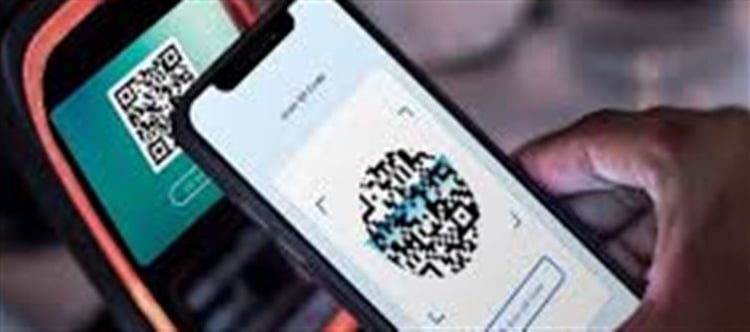


UPI (Unified Payments Interface) has made wallet PLATFORM' target='_blank' title='digital-Latest Updates, Photos, Videos are a click away, CLICK NOW'>digital transactions fast, easy, and convenient. But sometimes, transactions don’t go as planned — the wrong amount is sent, the money goes to the wrong account, or a transaction fails but the amount gets deducted. If you’ve faced this, it’s natural to panic, but there are clear steps to recover your money safely and efficiently.
📌 Common UPI Payment Errors
Before we discuss recovery, it’s important to understand the typical problems users face:
Wrong recipient: Money sent to the wrong UPI ID or mobile number.
Duplicate payments: Sending the same amount twice by accident.
Transaction failed but money deducted: Network or app glitches can cause this.
Wrong amount sent: More than intended was transferred.
Knowing the type of error helps you take the right corrective steps.
🛠️ Step 1: Check Your UPI Transaction Status
Immediately after a failed or wrong transaction:
- Open your UPI app (Google Pay, PhonePe, Paytm, BHIM, etc.).
- Go to Transaction History or Passbook.
- Check the status of the payment:
- Success: Money reached the recipient.
- Pending/Failed: Amount might still be in your bank’s escrow account.
This step is crucial to avoid unnecessary panic and to know if further action is needed.
📞 Step 2: Contact Your Bank
If the transaction shows as failed but money is deducted:
Call your bank’s customer care immediately.
Provide details like:
Transaction ID / UTR
Date and time of the transaction
Amount sent
Recipient details (if any)
Most banks can initiate a reversal within 24–48 hours.
📨 Step 3: Contact the UPI App Support
If you sent money to the wrong recipient:
Open the UPI app and go to Help & Support.
Report the wrong transaction. Include:
Transaction ID
Amount
Recipient UPI ID or phone number
Many apps have dedicated “Raise Dispute” features for UPI errors.
Tip: Don’t try to contact the recipient directly via unknown numbers, as scams are common. Always go through your bank or the UPI app.
⏳ Step 4: Wait for the Refund
- Once the bank/app acknowledges the error, the refund is usually processed within 24–72 hours.
- For duplicate transactions, both banks often automatically reverse the extra payment.
- If a transaction is successful but sent to the wrong UPI ID, the money cannot be reversed automatically, and your bank/app may guide you on the next steps.
⚖️ Step 5: Filing a Complaint (If Needed)
If the issue isn’t resolved promptly:
Raise a complaint with the NPCI (National Payments Corporation of India) — the body governing UPI transactions.
NPCI website has a UPI grievance portal.
You can also file a complaint with the banking ombudsman if your bank delays action.
These official channels ensure legal backing for your recovery.
🛡️ Tips to Avoid UPI Payment Errors
Double-check UPI ID or phone number before sending money.
Verify the recipient name shown in the app.
Avoid sending money to unknown contacts.
Keep transaction screenshots in case of disputes.
Use UPI app dispute resolution features promptly.
Following these precautions reduces the chances of errors and helps in smooth recovery if a mistake happens.
✅ Summary: Getting Your Money Back Safely
Error Type
What to Do
Expected Resolution
Wrong UPI ID / Recipient
Contact UPI app & bank
24–72 hours (may require recipient cooperation)
Failed Transaction
Check transaction status & bank
Amount usually auto-reversed in 24–48 hours
Duplicate Transaction
Contact bank / app
Refund of extra amount within 24–48 hours
Wrong Amount Sent
Contact bank & app
App may assist in recovery; check with recipient
The key takeaway: Stay calm, act quickly, and use official channels. UPI has strong mechanisms in place to resolve errors and recover funds.
Disclaimer:
The views and opinions expressed in this article are those of the author and do not necessarily reflect the official policy or position of any agency, organization, employer, or company. All information provided is for general informational purposes only. While every effort has been made to ensure accuracy, we make no representations or warranties of any kind, express or implied, about the completeness, reliability, or suitability of the information contained herein. Readers are advised to verify facts and seek professional advice where necessary. Any reliance placed on such information is strictly at the reader’s own risk.
 click and follow Indiaherald WhatsApp channel