


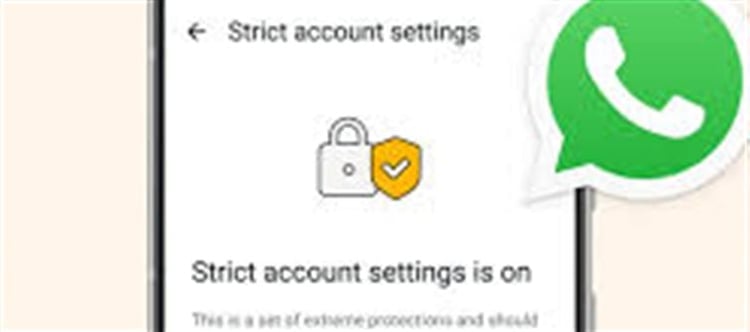

WhatsApp has introduced a new security and privacy feature called Strict Account Settings that lets you lock your account into its most restrictive and secure configuration with a single toggle. This is especially useful if you’re concerned about spam, cyberattacks, spyware, or unwanted contact interactions.
🔒 What Strict Account Settings Actually Does
When you turn on Strict Account Settings, whatsapp applies a set of protective measures automatically — designed to reduce threats such as spam, phishing and sophisticated cyberattacks:
✔ Blocks attachments and media from unknown contacts — so files won’t download from people not in your address book.
✔ Silences calls from unknown numbers — reduces spam or unwanted calls.
✔ Disables link previews — this helps prevent tracking or automatic IP leaks from link previews.
✔ Restricts profile visibility — only people you know see your profile photo, last seen, about and online status.
✔ Limits group invites — only contacts or preapproved people can add you to groups.
✔ Turns on two‑step verification and security alerts by default — adds an extra layer of account security.
This “lockdown‑style” setup reduces your attack surface — meaning whatsapp won’t show or accept content from unknown or untrusted sources — which helps protect against targeted threats and spyware.
🛡️ Who Should Use This Setting
While anyone can enable Strict Account Settings, it’s especially useful for:
🧑💻 Journalists, activists, public figures
🔐 Users concerned about cyberattacks and spyware
📱 Anyone fed up with random spam messages and calls
👥 people who interact mostly with known contacts and want extra privacy
It’s an optional feature — you don’t have to use it if you prefer the regular experience, but it adds strong security protections.
🔧 How to Enable Strict Account Settings (Step‑by‑Step)
Open WhatsApp on your phone.
Tap Settings (gear icon).
Go to Privacy.
Scroll down and tap Advanced (or similar).
You should see Strict Account Settings.
Toggle it ON.
Once switched on, whatsapp will automatically apply the stricter privacy and security rules.
⚠️ Things to Consider Before Enabling
Pros:
✅ Stronger protection against unsolicited messages and calls
✅ Greater resistance to phishing and spyware attempts
✅ Tightens visibility of personal info
Cons:
❗ Some legitimate messages or media from unsaved contacts may be blocked
❗ You might miss calls from delivery services or new contacts not in your list
For most users concerned about privacy and security, the added protection is worth the trade‑offs — especially if unwanted messages or security threats are a real issue.
🧠 In Summary
Strict Account Settings is a new privacy/security toggle in WhatsApp that quickly enforces the most restrictive protections available — blocking media and attachments from unknown users, silencing unknown calls, locking down profile visibility, and turning on advanced security settings. It’s designed to help users who want extra security and fewer risks, particularly against cyber threats and unwanted contacts.
Disclaimer:
The views and opinions expressed in this article are those of the author and do not necessarily reflect the official policy or position of any agency, organization, employer, or company. All information provided is for general informational purposes only. While every effort has been made to ensure accuracy, we make no representations or warranties of any kind, express or implied, about the completeness, reliability, or suitability of the information contained herein. Readers are advised to verify facts and seek professional advice where necessary. Any reliance placed on such information is strictly at the reader’s own risk.
 click and follow Indiaherald WhatsApp channel