



Many people use WhatsApp every day for personal and professional conversations. Sometimes users want to keep certain chats private so that others who use their phone cannot easily see them. Fortunately, whatsapp offers several built‑in privacy features that help you protect sensitive conversations.
Here are some simple methods you can try to hide or secure your private chats.
🔒 1. Use the Chat Lock Feature
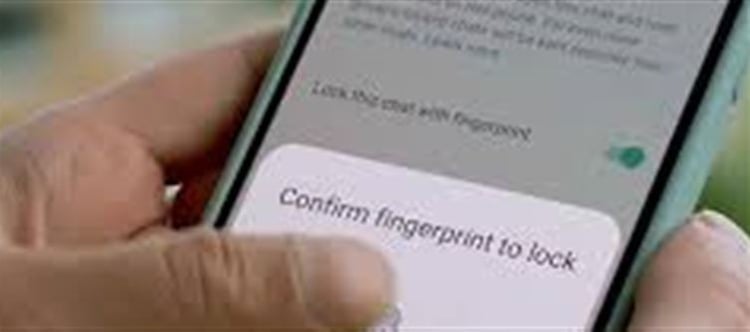
One of the easiest ways to secure a conversation is the Chat Lock feature.
Steps to Lock a Chat
Open WhatsApp.
Select the chat you want to protect.
Tap the contact or group name at the top.
Scroll down and choose Chat Lock.
Confirm using your fingerprint, Face ID, or phone password.
Once enabled, the chat will move to a Locked Chats folder that can only be opened using authentication.
Why It’s Useful
- Keeps conversations hidden from the main chat list
- Adds biometric security
- Prevents others from reading messages even if they access your phone
📁 2. Archive the Chat
Another simple way to hide a conversation is by archiving it.
How to Archive a Chat
Open WhatsApp.
Press and hold the chat you want to hide.
Tap the Archive icon.
The chat will move to the Archived Chats folder and disappear from your main chat screen.
Note
This is a basic hiding method, not strong security. If a new message arrives, the chat may return to the main list unless the archive setting is adjusted.
🔕 3. Turn Off Chat Notifications
Notifications can reveal conversations even when chats are hidden.
Steps
Open the chat.
Tap the contact name.
Choose Mute Notifications.
Select the duration (8 hours, 1 week, or Always).
This prevents message previews from appearing on your phone screen.
📵 4. Disable Message Preview on Lock Screen
Even if chats are private, message previews can still appear on your phone screen.
To avoid this:
- Go to Phone Settings
- Open Notifications
- Find WhatsApp
- Turn off Message Preview
This ensures incoming messages stay private.
⚠️ A Quick Reminder About Privacy
While these features help protect personal conversations, it’s important to use them responsibly. Respecting trust and privacy in relationships is just as important as protecting your wallet PLATFORM' target='_blank' title='digital-Latest Updates, Photos, Videos are a click away, CLICK NOW'>digital messages.
✅ In short:
If you want extra privacy on whatsapp, the best option is Chat Lock, combined with archiving chats and disabling previews. These tools help keep your conversations secure and hidden from others who may use your device.
Disclaimer:
The views and opinions expressed in this article are those of the author and do not necessarily reflect the official policy or position of any agency, organization, employer, or company. All information provided is for general informational purposes only. While every effort has been made to ensure accuracy, we make no representations or warranties of any kind, express or implied, about the completeness, reliability, or suitability of the information contained herein. Readers are advised to verify facts and seek professional advice where necessary. Any reliance placed on such information is strictly at the reader’s own risk.
 click and follow Indiaherald WhatsApp channel