


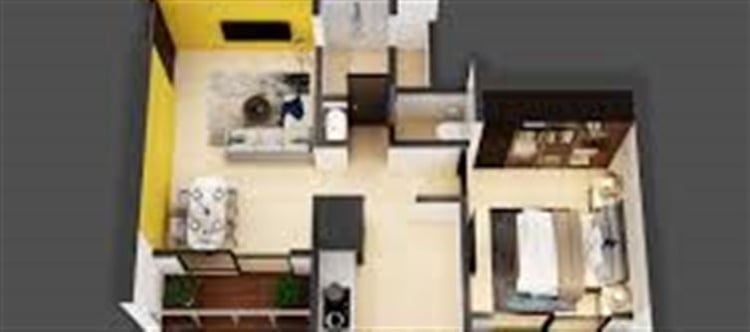

In the world of architecture, interior design, and real estate, a simple 2D floor plan often isn’t enough to convey the full potential of a space. Converting your floor plan into a 3D visualisation transforms blueprints into immersive experiences, allowing stakeholders to understand design, layout, and aesthetics like never before.
Why 3D Visualisations Matter
- Enhanced Spatial Understanding: 2D plans only show dimensions and room layouts. 3D models let viewers see depth, scale, and spatial relationships, reducing misunderstandings.
- Better Decision-Making: Homeowners, architects, and designers can experiment with materials, furniture, and layouts before construction begins.
- Marketing and Sales: Real estate professionals can showcase properties in a lifelike and interactive way, increasing buyer engagement.
From Floor Plan to 3D: How It Works
Start with a Floor Plan: Upload a 2D blueprint that includes room dimensions, walls, doors, and windows.
Use 3D Conversion Software: Tools like SketchUp, AutoCAD, Blender, or Revit can convert 2D layouts into detailed 3D models.
Add Textures and Materials: Apply flooring, wall finishes, and furniture to bring the space to life.
Lighting and Perspective: Set up natural and artificial light sources to mimic real-world conditions.
Render and Visualise: Produce high-resolution images or walkthroughs to experience the space virtually.
Key Benefits of 3D Floor Plan Visualisations
1. Improved Communication
Designers can present their vision clearly, while clients and stakeholders can see exactly what to expect, avoiding costly revisions.
2. Cost and Time Efficiency
Identifying layout issues in a 3D model before construction can prevent mistakes, saving money and time on site changes.
3. Interactive Experiences
With virtual reality (VR) or augmented reality (AR), clients can walk through their future home or office, making the design process more engaging and realistic.
4. Enhanced Creativity
3D models allow experimentation with colors, textures, and furniture arrangements, giving designers more freedom to innovate.
Applications Across Industries
- Architecture & Interior Design: Visualise concepts and final designs in lifelike detail.
- Real Estate Marketing: Create interactive tours that boost property engagement.
- Renovation Projects: Test changes to layouts and finishes before committing.
- Furniture & home Décor Planning: Place furniture virtually to ensure fit and style compatibility.
Tips for Stunning 3D Visualisations
Keep Dimensions Accurate: Precision in measurements ensures realistic scaling.
Focus on Lighting: Proper lighting enhances realism and highlights design features.
Use High-Quality Textures: Textures for walls, floors, and furniture make the scene more immersive.
Optimize for Performance: For VR or AR walkthroughs, ensure models are lightweight yet detailed.
Experiment with Angles: Provide multiple perspectives for better spatial understanding.
Conclusion
Converting your floor plan into a 3D visualisation is no longer a luxury—it’s a powerful tool for architects, designers, real estate professionals, and homeowners. By turning flat layouts into immersive, realistic models, 3D visualisations enhance communication, improve decision-making, and bring designs to life like never before.
Whether you’re planning a new build, a renovation, or marketing a property, investing in 3D floor plan visualisation is the key to creating stunning, impactful experiences.
Disclaimer:
The views and opinions expressed in this article are those of the author and do not necessarily reflect the official policy or position of any agency, organization, employer, or company. All information provided is for general informational purposes only. While every effort has been made to ensure accuracy, we make no representations or warranties of any kind, express or implied, about the completeness, reliability, or suitability of the information contained herein. Readers are advised to verify facts and seek professional advice where necessary. Any reliance placed on such information is strictly at the reader’s own risk.
 click and follow Indiaherald WhatsApp channel