
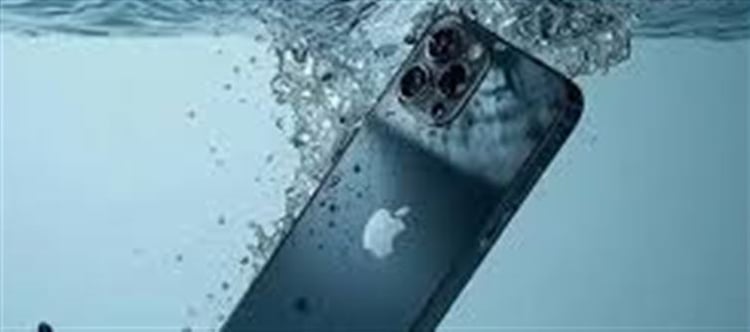


Accidental water exposure is one of the most common causes of iphone damage. Whether it’s a splash, rain, or dropping your device in water, quick action can make the difference between a working phone and a costly repair. apple has a built-in feature known as ‘Water Eject’ that can help remove water from your iPhone’s speaker and improve survival chances.
Step 1: Don’t Panic – Turn Off Your iPhone
The first and most important step is to turn off your device immediately.
- Water and electricity don’t mix — running the iphone while it’s wet can short-circuit the internals.
- Remove any case or cover to allow airflow and accelerate drying.
- Avoid pressing buttons excessively, as this can push water further into the device.
Step 2: Use the ‘Water Eject’ Shortcut or siri Shortcut
Many newer iPhones (iPhone 7 and above) have a built-in water eject function accessible through Siri Shortcuts:
- Open the Shortcuts app and look for the ‘Water Eject’ shortcut.
- Run the shortcut — the iphone will emit a low-frequency sound vibration from the speakers.
- This sound helps push water droplets out of the speaker grills safely.
Tips:
- Keep the iphone upright to aid water drainage.
- Repeat the process a few times if needed — the vibration is gentle and won’t harm the phone.
Step 3: Dry and Let Your iphone Rest
After using the water eject function:
Gently wipe the exterior with a soft, absorbent cloth.
Leave the iphone in a dry environment, ideally upright, for several hours or overnight.
Avoid using heat sources like hair dryers — excessive heat can damage internal components.
Optional: Place the iphone in a sealed bag with silica gel packets to absorb remaining moisture. Avoid using rice, as small particles can get lodged in ports.
Additional Tips to Prevent Water Damage
- Use waterproof cases if you often carry your phone near water.
- Avoid exposing your phone to water intentionally — even splash-resistant models have limits.
- Back up your data regularly to iCloud or a computer in case damage occurs.
- Check Apple’s warranty terms — water damage isn’t usually covered, but AppleCare+ may offer reduced repair fees.
When to Seek Professional Help
If the iPhone:
- Shows distorted audio or non-working speakers
- Fails to turn on after drying
- Displays erratic touchscreen behavior
…then it’s time to take it to an apple Store or authorized repair center. The water eject trick helps prevent damage but doesn’t guarantee full protection if water reaches sensitive components.
Conclusion
The 3-step Water Eject hack — turning off your iphone, running the water eject shortcut, and letting it dry properly — can save your device from water damage in many cases. Quick action combined with proper care dramatically increases the chances of your iphone surviving a splash or accidental dip.
Disclaimer:
The views and opinions expressed in this article are those of the author and do not necessarily reflect the official policy or position of any agency, organization, employer, or company. All information provided is for general informational purposes only. While every effort has been made to ensure accuracy, we make no representations or warranties of any kind, express or implied, about the completeness, reliability, or suitability of the information contained herein. Readers are advised to verify facts and seek professional advice where necessary. Any reliance placed on such information is strictly at the reader’s own risk.
 click and follow Indiaherald WhatsApp channel