
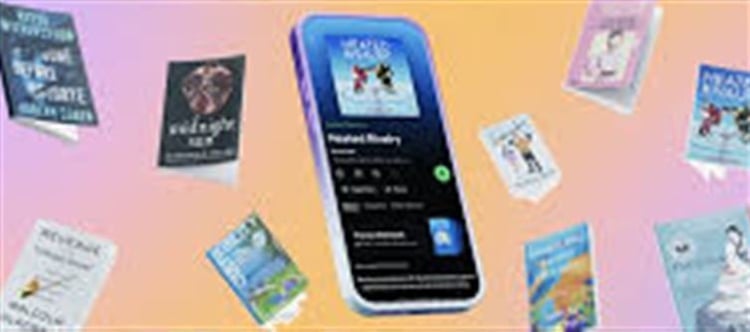


Spotify has launched an exciting new feature called Page Match that makes it easier than ever to switch between reading a physical book (or e‑book) and listening to its audiobook version — with just your smartphone camera. This marks a major step in blending traditional reading and wallet PLATFORM' target='_blank' title='digital-Latest Updates, Photos, Videos are a click away, CLICK NOW'>digital listening into one seamless experience.
What Is Page Match?
Page Match is an innovative tool built into the Spotify mobile app that lets you scan a page of a physical book or e‑book and jump right to that same point in the audiobook — no searching or guessing required. It also works in reverse: you can scan the book again later to figure out exactly where to continue reading after listening.
How Page Match Works (Step‑by‑Step)
Here’s how you can use Page Match on your phone:
📘 From Book to Audiobook
Open the Spotify app (iOS or Android) and go to the audiobook you want to sync.
Tap the Page Match button on the audiobook’s page.
Allow the app to use your camera.
Scan the page you’re currently reading.
Spotify will find the matching audiobook timestamp and let you play from that exact spot.
You can also save it for later if you’re not ready to listen immediately.
📖 From Audiobook Back to Print
While listening, tap the Page Match button again.
Choose Scan to read.
Scan any page of the book.
Spotify will tell you where in the printed text you should pick up so your reading matches your listening progress.
What technology Makes It Possible?
Page Match uses smart text‑matching technology like optical character recognition (OCR) to read the text on the page you scan and match it with the spoken words in the audiobook. This allows it to align the printed page with the audiobook very precisely — even matching specific paragraphs.
Who Can Use Page Match?
- The feature is rolling out on iOS and Android for most English‑language audiobooks in Spotify’s library by the end of February 2026.
- It works for physical books, printed copies, and e‑books (as long as the text is legible via the camera).
- Available to all users — free users can use it with books they buy outright, while Premium and Audiobook+ subscribers can use it within their audiobook listening access.
Why It Matters
✅ Seamless Format Switching
Page Match eliminates the old frustration of losing your place when you switch between reading and listening. Just scan and continue — no manual searching!
📚 Ideal for Multitaskers
Whether you’re commuting, working out, or relaxing at home, you can jump between pages and playback without missing a beat.
📱 Bridges Physical and Digital
Unlike other tools that only work with wallet PLATFORM' target='_blank' title='digital-Latest Updates, Photos, Videos are a click away, CLICK NOW'>digital texts, Page Match works with real paper books as well — a big step for hybrid readers.
Spotify’s Broader Strategy
Page Match is part of a larger push by Spotify to enhance its audiobook ecosystem. Alongside this feature, Spotify has also partnered with Bookshop.org to let users buy physical books directly through the Spotify app — with the goal of supporting authors and independent bookstores.
By combining audiobook listening with print reading and physical book discovery, Spotify is aiming to become a one‑stop hub for audio and literary experiences.
Tips to Get the Best Results
✔ Use good lighting when scanning a page
✔ Align your camera so the text fills the viewfinder
✔ Scan a page with clear words (no pictures or heavy margins)
✔ Make sure you have a supported audiobook downloaded or unlocked
These simple practices improve the accuracy of Page Match.
Conclusion
Spotify’s Page Match feature is a game‑changer for book and audiobook lovers. By letting you instantly sync a printed page with the corresponding part of an audiobook — and vice versa — it removes a major barrier between reading and listening. Whether you’re a casual reader or a bookworm, this feature makes it easy and enjoyable to switch between formats with a simple scan.
Disclaimer:
The views and opinions expressed in this article are those of the author and do not necessarily reflect the official policy or position of any agency, organization, employer, or company. All information provided is for general informational purposes only. While every effort has been made to ensure accuracy, we make no representations or warranties of any kind, express or implied, about the completeness, reliability, or suitability of the information contained herein. Readers are advised to verify facts and seek professional advice where necessary. Any reliance placed on such information is strictly at the reader’s own risk.
 click and follow Indiaherald WhatsApp channel