
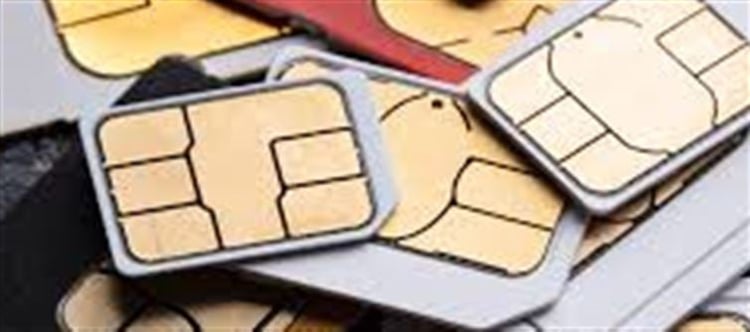


A SIM card is the small chip that connects your phone to your mobile network. When it suddenly stops working, it can disrupt calls, messages, and mobile data access. Understanding the reasons behind this problem helps you troubleshoot it quickly.
1. Physical Damage or Wear and Tear
How It Happens
- SIM cards are delicate and can be damaged by scratches, bending, or exposure to moisture.
- Frequent removal and reinsertion can wear down the metal contacts that connect to your phone.
Signs of Physical Damage
- Phone fails to detect the SIM
- Intermittent connection or dropped calls
- Visible scratches or dirt on the chip
Solution
- Clean the SIM gently with a soft, dry cloth.
- Try the SIM in another phone to check if the problem persists.
- If damaged, contact your carrier for a replacement SIM card.
2. Network Issues or Carrier Problems
How It Happens
- Mobile network outages or maintenance work can prevent your SIM from working.
- Issues like expired plans, unpaid bills, or network congestion can also block service.
Signs of Network Problems
- “No Service” or “SIM Not Registered” messages
- Calls or messages fail even if the SIM is intact
- Mobile data not connecting
Solution
- Check with your carrier’s customer support for service status.
- Try restarting your phone or switching to airplane mode and back.
- Ensure your plan is active and valid.
3. SIM Not Properly Inserted or Corrupted
How It Happens
- The SIM may become loose or misaligned in the tray.
- Software errors can corrupt SIM data, causing it not to register with the network.
Signs of Improper Insertion
- Phone shows “Insert SIM” even though it is already in the tray
- SIM works intermittently in another device
Solution
- Turn off your phone, remove the SIM, and reinsert it carefully.
- Make sure the SIM tray is compatible with your phone model.
- For software corruption, restart the phone or update your device OS.
4. software Glitches or phone Settings
How It Happens
- Sometimes the phone’s software glitches prevent the SIM from being recognized.
- Misconfigured network settings, airplane mode, or restricted SIM access can also interfere.
Signs of software Problems
- SIM worked before but suddenly shows No SIM detected
- Other SIMs work in the same phone
Solution
- Restart your phone
- Reset network settings (usually in Settings → System → Reset Options)
- Ensure your phone’s software is up to date
- If the issue persists, consider a factory reset as a last resort
Quick Tips to Prevent SIM Issues
- Handle SIM cards carefully to avoid bending or scratches
- Avoid frequent SIM removal unless necessary
- Keep your phone software updated
- Contact your carrier promptly for any suspicious network issues
Conclusion
A SIM card stopping suddenly can be due to physical damage, network problems, misalignment, or software glitches. By understanding these 4 major reasons, you can quickly diagnose the issue and restore your mobile connectivity.
Disclaimer:
The views and opinions expressed in this article are those of the author and do not necessarily reflect the official policy or position of any agency, organization, employer, or company. All information provided is for general informational purposes only. While every effort has been made to ensure accuracy, we make no representations or warranties of any kind, express or implied, about the completeness, reliability, or suitability of the information contained herein. Readers are advised to verify facts and seek professional advice where necessary. Any reliance placed on such information is strictly at the reader’s own risk.
 click and follow Indiaherald WhatsApp channel