


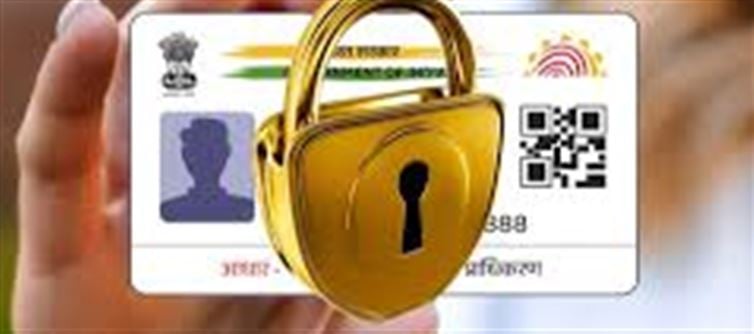

Your Aadhaar card contains extremely sensitive personal information. If it’s lost, stolen, or your details are exposed, fraudsters can use it for unauthorised authentication, bank fraud, SIM verification or e‑KYC. Fortunately, the Unique Identification Authority of india (UIDAI) provides a lock/unlock facility so you can protect your Aadhaar when you’re not using it.
✅ What Does Locking Aadhaar Do?
When you lock your Aadhaar number (UID):
✔ All authentication using your Aadhaar number (UID) is disabled — including biometric, demographic and OTP modes.
✔ No one can use your Aadhaar for verification or fraud unless it’s unlocked again.
✔ You can still use your Virtual ID (VID) if you need identity verification.
This greatly reduces the risk of misuse of your Aadhaar if someone finds or copies your details.
📌 How to Lock Your Aadhaar Card Online (Step‑by‑Step)
🔹 Using the uidai Website
Go to the official uidai website: uidai.gov.in.
Open the “My Aadhaar” tab.
Select “Aadhaar Lock/Unlock” under Aadhaar services.
Choose “Lock UID”.
Enter your 12‑digit Aadhaar number, full name and PIN code.
Click “Send OTP”.
Enter the OTP sent to your registered mobile number.
Submit — your Aadhaar will be locked successfully.
📱 Alternate: Lock Aadhaar via mAadhaar App
Download the mAadhaar app on your phone.
Login with your registered mobile number & OTP.
Go to Services → Aadhaar Lock/Unlock.
Tap Lock Aadhaar and follow the on‑screen instructions.
This is often faster and more user‑friendly.
📩 Locking Aadhaar via SMS
If you prefer SMS:
From your registered mobile number, send:
GETOTP
You’ll receive an OTP.
Then send:
LOCKUID
UIDAI will send you a confirmation SMS once locked.
🔓 How to Unlock Your Aadhaar
If you need to use Aadhaar again for e‑KYC, bank verification or other services:
🔹 Online Unlock
Go to the UIDAI Aadhaar Lock/Unlock page.
Choose “Unlock UID”.
Enter your 16‑digit Virtual ID (VID), OTP will be sent to your registered mobile.
Enter the OTP and submit.
Your Aadhaar will be unlocked.
🔹 SMS Unlock
Send: GETOTP
Then send: UNLOCKUID
You’ll receive a confirmation once unlocked.
🛡 Why You Should Lock Aadhaar
🔒 Stops Unauthorized Authentication – No one can use your Aadhaar number for biometric, OTP or demographic verification without un‑locking it.
📵 Prevents Financial & Identity Fraud – Locking stops misuse for AAEP/financial transactions.
📍 Control Your Information – You decide when Aadhaar can be used.
📱 Easy & Free – Locking/unlocking is free via the uidai portal or SMS.
⚠️ Important Things to Know
📌 Your registered mobile number must be active: both online and SMS methods require an OTP sent to that number.
📌 While locked, you can’t use Aadhaar for authentication: so unlock it when needed.
📌 Use Virtual ID instead of your actual Aadhaar for safer authentication in regular use.
🧠 In Summary
Locking your Aadhaar card is a simple but powerful way to safeguard against misuse — especially if your card is lost, stolen, or data is exposed. You can do it online via the uidai website, through the mAadhaar app, or via SMS. And when you need to use your Aadhaar again, just unlock it using the same methods.
Disclaimer:
The views and opinions expressed in this article are those of the author and do not necessarily reflect the official policy or position of any agency, organization, employer, or company. All information provided is for general informational purposes only. While every effort has been made to ensure accuracy, we make no representations or warranties of any kind, express or implied, about the completeness, reliability, or suitability of the information contained herein. Readers are advised to verify facts and seek professional advice where necessary. Any reliance placed on such information is strictly at the reader’s own risk.
 click and follow Indiaherald WhatsApp channel