


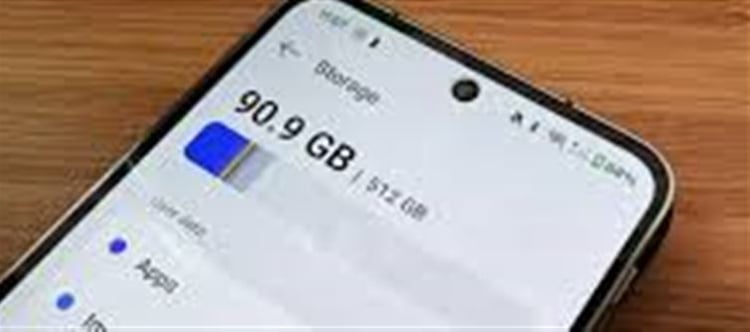

Many people think a slow phone means storage is full, but that’s only one part of a bigger picture. Over time, multiple factors — both hardware and software — combine to make even newer phones feel sluggish. Understanding these can help you fix the problem without immediately buying a new device.
1. Storage Full — But It’s Not the Only Cause
📲 Storage affects performance because phones need free space to manage temporary files, cache, and system tasks. When storage drops below about 10–15% free space, the system struggles to write and manage data efficiently, which slows down apps and system processes.
How storage impacts speed:
- Sluggish app launches
- Delays in saving photos or messages
- Slower scrolling and transitions
All because the system has less “room to breathe.”
2. Background Apps and Processes Eating Your RAM
Even when not on screen, many apps continue running in the background, syncing data, fetching updates, and sending notifications. These background activities consume:
- RAM (memory)
- CPU cycles
- Battery resources
Heavy apps like social media, games, and streaming apps are common culprits.
💡 Tip: Close unused apps or restrict background activity in settings to free memory and reduce load.
3. software Gets Heavier, Not Lighter
Operating systems and apps are regularly updated with new features and security patches — but those updates are usually designed for newer hardware. On older or less powerful phones:
- The OS demands more processing power
- New app versions use more memory
- Animations and visual effects take their toll
This means even normal usage over time can make your phone feel slower.
4. Aging Battery & Performance Throttling
Phone performance isn’t just about storage and apps — battery health matters too. As batteries age:
- They hold less charge
- The phone limits processor speed to avoid shutdowns
This process — known as throttling — can make even otherwise capable phones feel slow. Some manufacturers do this intentionally to protect hardware as the battery ages.
5. Cache, Junk Files, and Clutter
Apps store temporary data (called cache) to speed up performance. But over time:
- Cached data can grow large
- Old files and logs accumulate
- Residual files from deleted apps linger
Instead of helping, this clutter can slow down storage access and responsiveness.
6. Outdated software or Apps
Not updating your phone’s operating system or installed apps can cause performance issues:
- Older system versions may not be optimised
- Apps may be incompatible or buggy
Keeping your OS and apps updated often boosts performance and security.
7. Too Many Widgets, Animations & Visual Effects
Live wallpapers, home‑screen widgets, and fancy transition animations look good but use processing power and memory — especially on older hardware. Reducing these can make interactions feel snappier.
8. software Bloat and Factory Apps
Some phones come with pre‑installed apps (sometimes called bloatware) that you never use but still run in the background, consuming resources.
9. Heat and Throttling
If your phone gets hot — when gaming, charging while in use, or in warm environments — the processor may reduce speed to prevent damage, which feels like a slowdown.
10. When Hardware Simply Can’t Keep Up
No matter how well you maintain your phone, hardware has finite limits:
- Older CPUs weren’t built for today’s heavier software
- Older phones may not handle large multitasking loads
- Flash storage slows as it ages from repeated reads/writes
This is why even phones with free storage space may still feel sluggish over time.
Quick Fixes to Speed Up a Slow Phone
🧹 Free Up Space
- Remove unused apps
- Delete large videos/photos
- Move files to cloud storage
📊 Check Settings → Storage to see what’s consuming space.
🔄 Update OS & Apps
Always install the latest official updates from Settings or your phone’s store.
🙅 Reduce Background Activity
Turn off:
- Auto‑start for apps
- Background App Refresh
- Unnecessary notifications
This reduces pressure on ram and CPU.
🚫 Limit Animations & Widgets
Disable live wallpapers and reduce animations in Accessibility or Developer options.
🔋 Monitor Battery Health
If the battery is weak, consider replacing it, which can also improve speed on older phones.
🧼 Clear Cache
Clear app cache (Settings → Apps → [App] → Clear Cache) to remove old temporary data.
♻️ Factory Reset (As Last Resort)
If problems persist, a factory reset can refresh the system — but back up your data first.
Final Takeaway
A slow phone isn’t just about full storage — it’s usually a mix of:
✔ Excess apps & background processes
✔ software updates demanding more power
✔ Aging battery and hardware limits
✔ Cache and leftover data clogging storage
✔ Animations and visual effects consuming resources
Understanding these factors helps you fix the slowdown without spending money on a new phone — and in many cases, restore much of the original performance.
Disclaimer:
The views and opinions expressed in this article are those of the author and do not necessarily reflect the official policy or position of any agency, organization, employer, or company. All information provided is for general informational purposes only. While every effort has been made to ensure accuracy, we make no representations or warranties of any kind, express or implied, about the completeness, reliability, or suitability of the information contained herein. Readers are advised to verify facts and seek professional advice where necessary. Any reliance placed on such information is strictly at the reader’s own risk.
 click and follow Indiaherald WhatsApp channel