


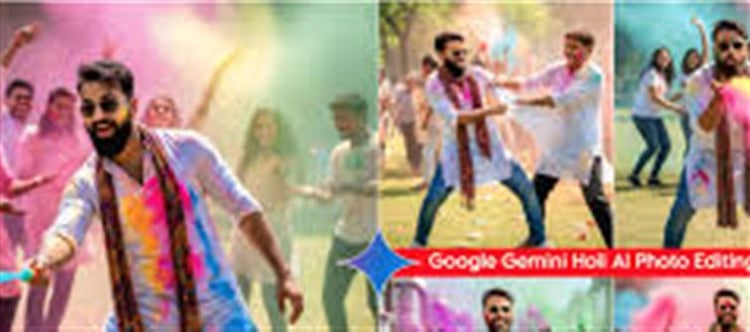

Holi — the festival of colors — brings vibrant memories that deserve to be beautifully preserved. With Google Gemini AI, you can easily enhance, stylize, and transform your holi photographs in creative ways. Here are top‑notch AI prompts you can use in 2026 to elevate your festival photos instantly.
1. Clean Up & Enhance holi Photos
Prompt:
“Enhance this holi image by removing motion blur and noise, preserving vivid color splashes and sharp facial expressions.”
🎯 Use for: Pictures taken in low light or fast action that appear blurry or grainy.
✨ Result: Clear, crisp photos highlighting colors and faces.
2. Amplify Vibrant Colors
Prompt:
“Boost and balance the colors in this holi photo to make powders and hues look bright and natural, without oversaturation.”
🎯 Use for: Images where the colors look washed out or uneven.
✨ Benefit: Balanced hues that feel lively yet realistic.
3. Add Creative holi Background Effects
Prompt:
“Replace the background with a vibrant, festive holi theme — splash strokes, color cloud effects, and blurred crowd vibes.”
🎯 Use for: Portraits where you want a festive backdrop.
✨ Result: A more immersive, colorful atmosphere.
4. Turn Your Photo into a holi Poster
Prompt:
“Convert this holi photo into a festival poster with text overlay (‘Holi 2026’), bold colors, and artistic paint splatter effects.”
🎯 Use for: Sharing on social media or creating wallet PLATFORM' target='_blank' title='digital-Latest Updates, Photos, Videos are a click away, CLICK NOW'>digital invitations.
✨ Result: A visually striking festival poster ready to share.
5. Clean and Sharpen Faces in Crowd Photos
Prompt:
“Sharpen and enhance faces in this group holi photo while keeping color powder effects natural and lively.”
🎯 Use for: Group pictures taken in messy, colorful environments.
✨ Benefit: Faces stand out clearly without losing the festive feel.
6. Turn holi Photos into Illustrations
Prompt:
“Stylize this holi photo as a vivid wallet PLATFORM' target='_blank' title='digital-Latest Updates, Photos, Videos are a click away, CLICK NOW'>digital illustration with bold strokes, color splashes, and light artistic touch.”
🎯 Use for: Creating creative artworks or themed album covers.
✨ Outcome: A custom Holi‑themed artwork.
7. Restore Old holi Photos
Prompt:
“Restore this old holi photo by fixing fading, repairing scratches, and enhancing color to recreate its original vibrance.”
🎯 Use for: Old festival pictures from past years.
✨ Result: Nostalgic images brought back to life.
Best Practices for holi AI Photo Editing
📌 Upload High Quality Images
The better the original photo resolution, the better the AI output.
📌 Specify the Style
Add phrases like “natural and balanced,” “high vividness,” or “festival art style” depending on your editing goal.
📌 Focus on Subjects
For group photos, include prompts such as:
“Focus enhancement on faces while keeping color particles sharp.”
Sample Ready‑to‑Use Prompts
Here are copy‑ready prompts you can paste directly into google Gemini AI:
- “Enhance this holi photo, sharpen colors and faces, keep natural festive tones.”
- “Create a holi festival poster from this image with ‘Holi 2026’ text and paint splash effects.”
- “Stylize this picture into a vibrant wallet PLATFORM' target='_blank' title='digital-Latest Updates, Photos, Videos are a click away, CLICK NOW'>digital art piece with bold colors and brush stroke style.”
Wrap‑Up
Using Google Gemini AI prompts for holi 2026 photos lets you turn everyday snapshots into memorable, shareable, and artistic images — perfect for albums, social posts, and festival greetings. Just tailor your prompt to your artistic goal, and the AI will do the heavy lifting!
Disclaimer:
The views and opinions expressed in this article are those of the author and do not necessarily reflect the official policy or position of any agency, organization, employer, or company. All information provided is for general informational purposes only. While every effort has been made to ensure accuracy, we make no representations or warranties of any kind, express or implied, about the completeness, reliability, or suitability of the information contained herein. Readers are advised to verify facts and seek professional advice where necessary. Any reliance placed on such information is strictly at the reader’s own risk.
 click and follow Indiaherald WhatsApp channel