



Introduction
With increasing cases of account hacking and privacy concerns, many users wonder whether their WhatsApp account is being accessed on another device without permission. Fortunately, whatsapp provides simple tools to check active sessions and secure your account quickly.
How whatsapp Multi-Device Login Works
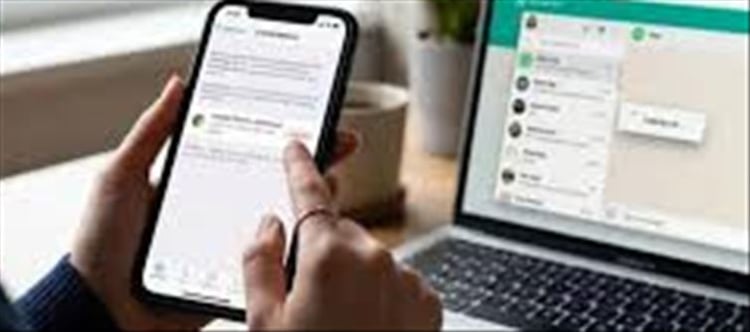
WhatsApp allows users to access their account on multiple devices using the Linked Devices (multi-device) feature. This is useful for:
- Using whatsapp Web on a computer
- Accessing chats on tablets or secondary devices
- Staying connected even if your phone is offline
However, if someone secretly links your account to another device, they can read your messages without your knowledge.
How to Check If Your whatsapp Is Logged in Elsewhere
Step-by-Step Guide:
Open whatsapp on your phone
Tap the three dots (menu) in the top-right corner
Select Linked Devices
You will see a list of all active sessions
What you’ll see:
- Device type (Windows, Mac, Android, etc.)
- Browser or app name
- Last active time
- Location (approximate)
How to Remove Unknown Devices
If you notice any suspicious login:
Steps:
Go to Linked Devices
Tap the unknown device
Select Log out
👉 This immediately disconnects that device from your account.
How to Secure Your whatsapp Account
1. Enable Two-Step Verification
- Go to Settings → Account → Two-step verification
- Set a 6-digit PIN
2. Avoid Sharing OTP
Never share your SMS verification code with anyone.
3. Regularly Check Linked Devices
Make it a habit to review active sessions weekly.
4. Use Screen Lock
Enable fingerprint or Face ID lock for WhatsApp.
Signs Your whatsapp May Be Compromised
- Messages marked as read without opening
- Unknown devices in linked list
- Friends receiving strange messages from your number
- Frequent logouts or login alerts
What to Do If You Suspect Hacking
- Immediately log out all unknown devices
- Enable two-step verification
- Re-register your number on WhatsApp
- Contact your mobile operator if SIM swap is suspected
Conclusion
Your whatsapp account can be safely monitored using the built-in Linked Devices feature. Regular checks and security settings ensure that no one else can access your chats without permission. Staying alert is the best protection against unauthorized access.
Disclaimer:
The views and opinions expressed in this article are those of the author and do not necessarily reflect the official policy or position of any agency, organization, employer, or company. All information provided is for general informational purposes only. While every effort has been made to ensure accuracy, we make no representations or warranties of any kind, express or implied, about the completeness, reliability, or suitability of the information contained herein. Readers are advised to verify facts and seek professional advice where necessary. Any reliance placed on such information is strictly at the reader’s own risk.
 click and follow Indiaherald WhatsApp channel