
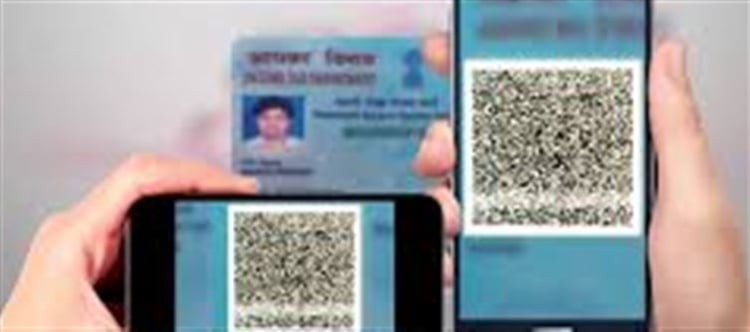


The Permanent Account Number (PAN) is a vital identity and tax-related document in India. Unfortunately, fake PAN cards are sometimes used for fraud, financial scams, or tax evasion. Fortunately, the QR code on the PAN card provides a reliable way to verify its authenticity. Here’s a detailed guide on how to do it.
Step 1: Understand the PAN Card QR Code
· A PAN card issued by the Income Tax Department of India has a QR code printed on it.
· This QR code contains the PAN holder’s digitally signed details, including:
o Name
o Date of Birth
o PAN number
o Father’s name
· Since the QR code is digitally encrypted and verified by the Income Tax Department, it is extremely difficult to fake.
· Key takeaway: If the QR code does not match the printed details, the PAN card may be fake.
Step 2: Download a QR Code Scanner
To verify the QR code, you need a QR code scanning app. Options include:
1. Government-provided apps like Aadhaar/Income Tax official apps (recommended).
2. Third-party QR scanners (available on google Play Store or apple App Store).
Step 3: Scan the QR Code
1. Open the QR code scanning app on your smartphone.
2. Point your phone camera at the QR code printed on the PAN card.
3. Wait for the scanner to read the QR code and display the information.
Step 4: Verify the Details
After scanning, compare the information shown with the details printed on the PAN card:
PAN Card Detail
Check
PAN Number
Must match exactly with the printed PAN number
Name
Full name should match
Father’s Name
Should match exactly
Date of Birth
Must be correct and match the card
Digital Signature
Should show the Income Tax Department verification
If any information does not match, the PAN card may be counterfeit.
Step 5: Cross-Check with Income Tax e-Filing Portal
For additional verification:
1. Visit the Income Tax Department’s official website: https://www.incometax.gov.in
2. Go to “Verify Your PAN” under the PAN services section.
3. Enter the PAN number, full name, and date of birth.
4. The portal will tell you if the PAN is valid or not.
Step 6: Other Signs of a Fake PAN Card
Apart from QR code verification, look for:
· Spelling errors in the name or father’s name.
· Incorrect font or alignment in the PAN card text.
· Missing or incorrect hologram (on older PAN cards).
· Poor quality card material or printing.
While these signs can help, QR code verification is the most reliable method.
Step 7: What to Do If the PAN Card is Fake
· Report it immediately to the Income Tax Department.
· Avoid using the fake PAN for any financial transactions, as it can lead to legal issues.
· For business verification, always rely on official QR code scanning or Income Tax portal confirmation.
Key Takeaways
· The QR code on a PAN card is digitally secured and trustworthy.
· Always scan and cross-check the QR code with the printed details.
· Combine QR code verification with official Income Tax portal checks for maximum security.
· Avoid relying solely on visual inspection, as counterfeiters can make the card look convincing.
Disclaimer:
The views and opinions expressed in this article are those of the author and do not necessarily reflect the official policy or position of any agency, organization, employer, or company. All information provided is for general informational purposes only. While every effort has been made to ensure accuracy, we make no representations or warranties of any kind, express or implied, about the completeness, reliability, or suitability of the information contained herein. Readers are advised to verify facts and seek professional advice where necessary. Any reliance placed on such information is strictly at the reader’s own risk.
 click and follow Indiaherald WhatsApp channel