


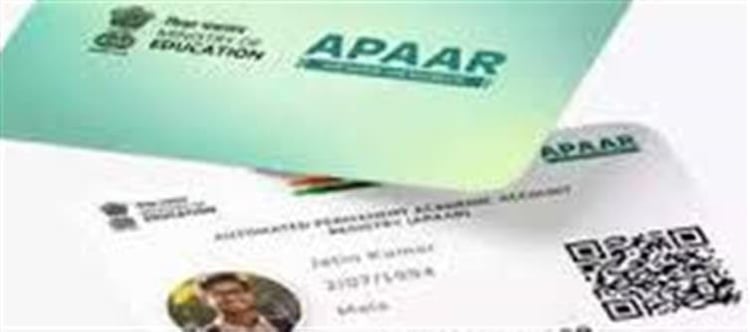

🎓 What Is an APAAR ID?
APAAR ID stands for Automated Permanent Academic Account Registry — a unique 12‑digit academic identity number that stores and tracks a student’s entire educational records digitally. It’s part of the Academic bank of Credits (ABC) system under India’s National education Policy (NEP 2020), and it links all your academic progress (like mark sheets, certificates, degrees, co‑curricular achievements) in one place.
This ID is useful for things like admissions, exam registrations (e.g., CUET), and academic verifications.
📲 Where Can You Download Your APAAR ID?
✅ 1. DigiLocker (Primary Method)
Your APAAR ID is usually available in your DigiLocker account once it’s generated.
Steps to Download from DigiLocker:
Go to digilocker.gov.in or open the DigiLocker app (Android/iOS).
Sign in using your Aadhaar‑linked mobile number.
Go to ‘Issued Documents’.
Search for “APAAR ID”, “ABC ID”, or “Academic bank of Credits”.
Open the APAAR ID document and download it as a PDF.
👉 You can store it on your phone or device for offline use.
✅ 2. ABC Portal (Official Academic bank of Credits Portal)
If you don’t find the ID in DigiLocker, you can also check it on the ABC Portal (abc.gov.in):
Visit the ABC portal and log in with credentials (usually linked through your DigiLocker).
Go to your student profile and look for the APAAR ID.
Once found, you can download it or save it to DigiLocker.
❓ What If Your APAAR ID Isn’t Showing or You Can’t Download It?
If your APAAR ID doesn’t appear in DigiLocker or the ABC portal, here’s what you should do:
🚩 1. Your school or college May Not Have Uploaded Your Details
APAAR IDs are generated only after your school/college submits your academic data and Aadhaar consent to the system.
✔ Contact your school/college admin or the person responsible for the APAAR process and ask them to verify and upload your details in the system.
🚩 2. Parental Consent Not Given (For Minors)
If you’re a minor and your parental consent isn’t submitted, the ID won’t be generated.
✔ Submit the consent form to your institution so they can complete your registration.
🚩 3. Delayed System Update
Sometimes there’s a delay in the portal updating your account:
✔ Wait a day or two and check again on DigiLocker or ABC portal.
✔ Try logging in via both the web portal and the mobile app.
🧠 If You Still Can’t Find or Download It
Here are additional steps you can take:
📌 ✔ Check Your APAAR Status on UDISE+
Your APAAR ID status is visible in the UDISE+ portal under the APAAR module.
If it shows “not generated” or “failed”, ask your school authority to fix the issue in UDISE+.
📌 ✔ Ensure Your Aadhaar Details Match
The APAAR ID generation depends on correct data (such as name and date of birth) matching your Aadhaar and school records.
If there’s a mismatch, correct them with your institution.
📌 ✔ Technical Support
If there’s a platform or technical error:
- Try logging in after some time.
- Use the UMANG app as an alternative login method.
- Contact the ABC/DigiLocker helpdesk for support.
📝 Key Points to Remember
- Your APAAR ID is a lifelong academic ID linked with DigiLocker.
- You can download it as a PDF once it’s generated via DigiLocker or ABC portal.
- If it’s not visible, the usual reasons are missing data upload, lack of parental consent, or portal delays—and your school is the first place to check for resolution.
Disclaimer:
The views and opinions expressed in this article are those of the author and do not necessarily reflect the official policy or position of any agency, organization, employer, or company. All information provided is for general informational purposes only. While every effort has been made to ensure accuracy, we make no representations or warranties of any kind, express or implied, about the completeness, reliability, or suitability of the information contained herein. Readers are advised to verify facts and seek professional advice where necessary. Any reliance placed on such information is strictly at the reader’s own risk.
 click and follow Indiaherald WhatsApp channel