


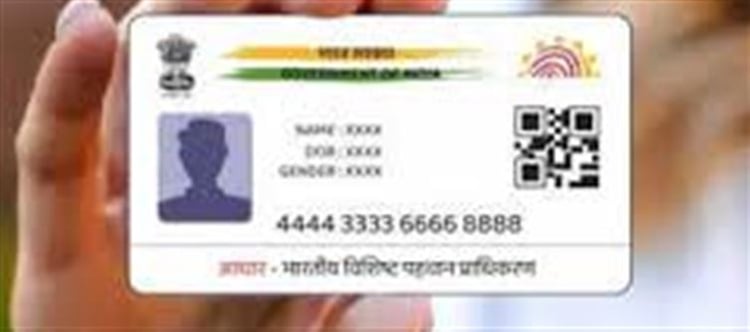

Losing your Aadhaar card can be stressful, especially when your registered mobile number isn’t linked. Since OTP-based verification is usually required for downloading or updating Aadhaar, not having a linked mobile number can make the process challenging. But don’t worry — there are official ways to recover your Aadhaar safely.
📌 Step 1: Identify Your Options
Even without a linked mobile number, you can:
1. Visit an Aadhaar Seva Kendra (ASK) to request a reprint.
2. Update your mobile number during the visit for future convenience.
3. Download e-Aadhaar using an offline method after updating your mobile number.
This ensures you can get a physical copy of your Aadhaar and access all Aadhaar services.
🏢 Step 2: Visit an Aadhaar Seva Kendra (ASK)
If your mobile number isn’t linked, the Aadhaar Seva Kendra is the most reliable way to recover your card:
· Locate your nearest ASK via the official uidai portal: https://appointments.uidai.gov.in
· Carry original identity proof such as PAN card, passport, voter ID, or driving license.
· Request a reprint of your Aadhaar.
The officials will verify your identity and process your request. You can later receive your Aadhaar via speed post or as a PVC Aadhaar card.
📄 Step 3: Fill Out the Aadhaar Reprint or Update Form
At the Seva Kendra:
· Ask for the Aadhaar Reprint Request Form.
· Provide demographic details like name, address, and date of birth.
· Submit valid identity proof to confirm your identity.
· You can also request a mobile number update simultaneously to make future transactions smoother.
Once processed, the updated Aadhaar card will be delivered to your address.
💻 Step 4: Update Your mobile Number
Updating your mobile number ensures you can:
· Receive OTPs for e-Aadhaar downloads.
· Access online Aadhaar services like authentication and verification.
· Prevent future issues if the physical card is lost again.
Steps to update:
1. Visit Aadhaar Seva Kendra.
2. Fill the Mobile Update/Correction Form.
3. Submit proof of identity and new mobile number.
4. Verify via OTP sent to the new mobile number.
🛡️ Step 5: Safety Tips
· Only use official uidai websites or Seva Kendras.
· Never share Aadhaar details or OTPs with unknown apps or services.
· Keep a digital copy of Aadhaar in a secure place for emergencies.
📌 Step 6: Future Access After mobile Linking
Once your mobile number is linked, you can:
· Download e-Aadhaar instantly online.
· Use Aadhaar for online verification, KYC, and other government services.
· Avoid physical visits to Seva Kendras for reprints in the future.
📝 Final Thoughts
Even if your mobile number isn’t linked, recovering your lost Aadhaar card is straightforward:
1. Visit a Seva Kendra with valid ID proof.
2. Submit the reprint request and optionally update your mobile number.
3. Receive your physical or PVC Aadhaar card at your address.
Once linked to your mobile number, all future Aadhaar services become fast, secure, and convenient.
Disclaimer:
The views and opinions expressed in this article are those of the author and do not necessarily reflect the official policy or position of any agency, organization, employer, or company. All information provided is for general informational purposes only. While every effort has been made to ensure accuracy, we make no representations or warranties of any kind, express or implied, about the completeness, reliability, or suitability of the information contained herein. Readers are advised to verify facts and seek professional advice where necessary. Any reliance placed on such information is strictly at the reader’s own risk.
 click and follow Indiaherald WhatsApp channel