


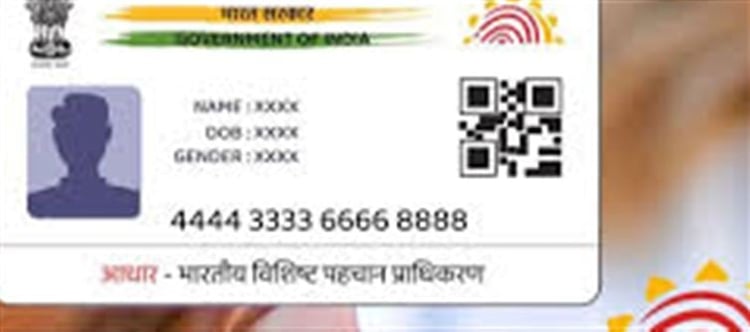

Aadhaar is a unique identity number issued to over 1.4 billion Indians. While it’s a powerful tool for accessing government and financial services, it can also be misused if not protected properly. The Aadhaar Lock feature is a simple yet effective way to prevent unauthorized use of your Aadhaar number.
1️⃣ What is the Aadhaar Lock Feature?
The Aadhaar Lock feature allows you to lock and unlock your Aadhaar number online to restrict its use in authentication processes.
- When locked, your Aadhaar cannot be used for:
- KYC verification (bank accounts, mobile SIM registration)
- Authentication in government services
- Unlocking is temporary and can be done whenever you need to use Aadhaar services.
This ensures that even if someone has your Aadhaar number, they cannot misuse it without your consent.
2️⃣ Benefits of Locking Aadhaar
Locking your Aadhaar provides multiple benefits:
✅ Prevents identity theft – stops unauthorized KYC or service registration.
✅ Simple and quick control – you can lock/unlock with just a few clicks.
✅ Free of cost – uidai does not charge for this service.
✅ Audit trail – uidai maintains a record of lock/unlock activity.
In short, it adds an extra layer of digital security for your most important identity document.
3️⃣ How to Lock Aadhaar Online
You can lock your Aadhaar number online via the official uidai portal:
Step-by-Step Guide:
Visit the official uidai website: https://resident.uidai.gov.in/lock-aadhaar
Click on “Lock Aadhaar” under Aadhaar services.
Enter your 12-digit Aadhaar number.
Enter the security captcha and click Send OTP.
Enter the OTP received on your registered mobile number.
Click Lock Aadhaar.
Once successful, your Aadhaar is immediately locked, and you will receive confirmation via SMS.
4️⃣ How to Unlock Aadhaar
You can unlock Aadhaar temporarily whenever you need to use it:
Go to the same uidai Aadhaar Lock portal.
Select Unlock Aadhaar.
Enter your Aadhaar number and OTP.
Choose a time duration for unlocking (e.g., 30 minutes, 1 hour).
Confirm to unlock.
After the specified period, Aadhaar will automatically be locked again for security.
5️⃣ Additional Security Tips
Apart from locking Aadhaar, follow these tips to protect your identity:
- Never share Aadhaar OTPs or PINs with anyone.
- Update your mobile number linked to Aadhaar for OTP verification.
- Regularly check your uidai activity log to monitor misuse.
- Use virtual IDs (VIDs) for online KYC instead of sharing your Aadhaar directly.
6️⃣ Key Points to Remember
- Locking does not deactivate your Aadhaar – it’s still valid for offline use (like submitting physical forms).
- Lock/unlock is instant and reversible.
- Works for all 12-digit Aadhaar numbers with a registered mobile number.
- Free and available 24/7 online.
7️⃣ Why Aadhaar Lock is Important
With rising cases of digital fraud and identity theft, securing your Aadhaar is more important than ever. The lock feature:
- Puts you in control of your identity.
- Reduces the risk of financial fraud.
- Protects your information when using mobile, banking, and government services.
Think of it as a digital padlock for your Aadhaar — easy to use, but highly effective.
📌 Quick Recap
Feature
Details
Service Name
Aadhaar Lock/Unlock
Cost
Free
Purpose
Prevent Aadhaar misuse
How to Use
Online via uidai portal
Requirements
Aadhaar number + registered mobile number
Lock Duration
Indefinite until you unlock
Unlock Options
Temporary unlock for 30 mins, 1 hour, etc.
The Aadhaar Lock feature is a must-use tool in today’s wallet PLATFORM' target='_blank' title='digital-Latest Updates, Photos, Videos are a click away, CLICK NOW'>digital world. By locking your Aadhaar, you can prevent fraud and misuse while maintaining full access whenever you need it.
Disclaimer:
The views and opinions expressed in this article are those of the author and do not necessarily reflect the official policy or position of any agency, organization, employer, or company. All information provided is for general informational purposes only. While every effort has been made to ensure accuracy, we make no representations or warranties of any kind, express or implied, about the completeness, reliability, or suitability of the information contained herein. Readers are advised to verify facts and seek professional advice where necessary. Any reliance placed on such information is strictly at the reader’s own risk.
 click and follow Indiaherald WhatsApp channel