


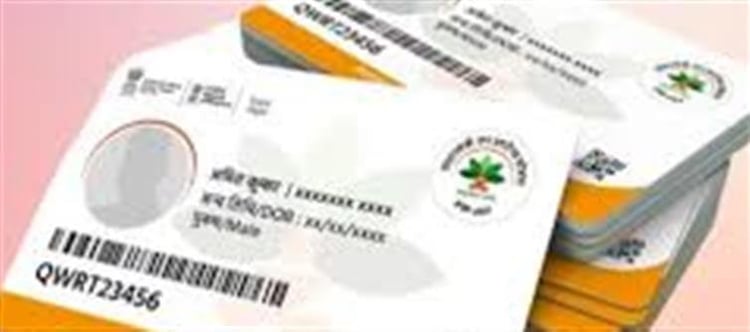

The Ayushman Card is part of the Ayushman Bharat Pradhan Mantri Jan Arogya Yojana (PM‑JAY), a government health insurance scheme that provides up to ₹5 lakh per family per year for cashless medical treatment at empanelled hospitals across India. To access these benefits, you must have an Ayushman Card — either in digital or physical format.
📱 Step‑by‑Step: Make Ayushman Card at home (Online)
1. Check Your Eligibility Online
- Visit the official beneficiary portal at beneficiary.nha.gov.in or use the PMJAY mobile app.
- Select “Beneficiary”.
- Enter your mobile number and verify via OTP.
- Search your name using Aadhaar number, ration card, family ID or PMJAY ID to see if you’re eligible.
👉 Tip: In many states, if your ration card appears in government records for poor/low‑income families, that can serve as your eligibility basis — and you may get the card within 24 hours.
2. Apply or Generate the Card
Once your family is found in the system:
- If you already have a card: you can download it immediately.
- If it says “Not‑Generated”, click “Apply Now”.
- Authenticate using Aadhaar OTP tied to your mobile.
- Enter details for all family members (name, age, gender, and Aadhaar if available).
- Submit the form — this completes your eKYC (electronic identity verification).
➡️ After successful submission, the portal generates an e‑card PDF, which you can save on your phone or print.
📥 3. Download the Ayushman Card
Once your application is processed:
- You can download the card directly as a PDF from the same portal using your Aadhaar/mobile number.
- Many people save the PDF on their phone and also keep a physical printed copy.
Some states also allow using the Umang app or DigiLocker to download your Ayushman Card.
📌 Alternate Ways to Get a Card (If Online Isn’t Working)
If you’re facing trouble doing it yourself at home:
🏢 Visit a Common service Centre (CSC)
- Go to your nearest Government CSC centre.
- Provide Aadhaar, mobile number, and ration/Aadhaar details.
- The operator will help verify your details and issue the card on the spot.
- Usually free or with minimal charges (around ₹20–₹30).
🏥 Government Hospital/PMJAY Kiosk
- Many government hospitals have Ayushman Mitras/Kiosks who can register and generate the card for you after document verification.
📎 Documents You Need
To make the Ayushman Card, keep these ready:
- Aadhaar card (head of family).
- Registered mobile number (for OTP verification).
- Ration card (helps with eligibility confirmation).
- Other ID proofs like Voter ID can help if Aadhaar isn’t sufficient.
🏥 Where You Can Use the Ayushman Card
Once you have your card — wallet PLATFORM' target='_blank' title='digital-Latest Updates, Photos, Videos are a click away, CLICK NOW'>digital or printed — you can use it for cashless treatment at any empanelled private or government hospital under the scheme.
📝 Quick Tips
👉 Always use the official portal or app — avoid third‑party sites.
👉 Keep your mobile number linked with Aadhaar — this makes verification smoother.
👉 Save the PDF and take a printed copy to the hospital — both are accepted.
Disclaimer:
The views and opinions expressed in this article are those of the author and do not necessarily reflect the official policy or position of any agency, organization, employer, or company. All information provided is for general informational purposes only. While every effort has been made to ensure accuracy, we make no representations or warranties of any kind, express or implied, about the completeness, reliability, or suitability of the information contained herein. Readers are advised to verify facts and seek professional advice where necessary. Any reliance placed on such information is strictly at the reader’s own risk.
 click and follow Indiaherald WhatsApp channel