



Privacy Display: Questions Loom Over the ESR 3 Pack for samsung Galaxy S26 Ultra Privacy Tempered Glass Screen Protectors and the Galaxy S26 Ultra’s New Privacy Feature
What Is the Privacy Display on the Galaxy S26 Ultra?
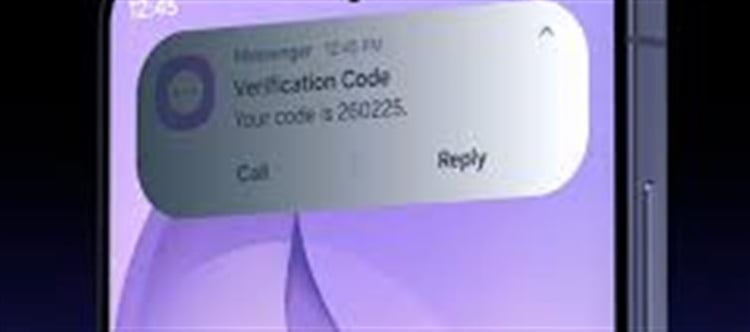
Samsung has introduced a hardware‑level Privacy Display on the ESR 3 Pack for samsung Galaxy S26 Ultra Privacy Tempered Glass Screen Protectors‑equipped Galaxy S26 Ultra, designed to protect sensitive on‑screen content from prying eyes in public. Instead of relying on add‑on privacy films, this feature uses advanced pixel‑level technology built into the OLED panel to narrow the viewing angle from the sides, making the screen hard to read unless viewed directly from the front. This system, known as Flex Magic Pixel (FMP), marks one of the first implementations of integrated privacy technology in a flagship phone display.
Users can enable selective privacy protection — for example, hiding only specific apps or sensitive fields like passwords — while the rest of the screen remains unchanged.
Why the Feature Matters
The idea behind Samsung’s Privacy Display is to address a common concern: people looking over your shoulder in public places like buses, trains, or cafes. With the display’s light‑directing technology, content stays readable for you while appearing dimmed or invisible at angles beyond about 30°.
Privacy Display also allows granular control, letting users assign protective behavior to specific apps or content areas rather than darkening the whole screen.
Rising Questions and Concerns
1. Display Quality Trade‑Offs
Although the feature is innovative, some early reports and tests suggest that image quality could be affected — even when Privacy Display is off. Because the display’s design uses two pixel types to narrow viewing angles, this may cause slightly reduced clarity, colour vibrancy, and brightness compared with the previous Galaxy S25 Ultra models.
Some users have reported that text looks different and that their eyes feel tired or strained after extended use compared with older devices.
2. Mixed Real‑World Performance
Early adopters have shared varied experiences online:
- A few owners say their units don’t dim or obscure the screen strongly when privacy mode is turned on, suggesting possible defects or inconsistent implementation.
- Others mention that in “maximum privacy” mode, the screen becomes washed out or overly dim, making it hard to use normally even for the primary user in bright light conditions or certain settings.
- There are reports of unexpected behaviour — like some units showing a white or grayish screen instead of black in certain privacy modes — indicating early software or hardware quirks.
These mixed impressions have raised questions about how well the technology works outside controlled demo environments.
3. Wider Viewing Angles and Everyday Use
Another point of debate is how the Privacy Display affects normal viewing angles. Some users have noticed that even with the privacy feature disabled, the screen’s viewing angles may be narrower than previous Galaxy models, meaning “off‑axis” viewing (e.g., showing content to friends beside you) could look dimmer or shifted in colour. This has led to discussions about whether the technology intrinsically alters the display experience in all modes.
Balancing Privacy with Practicality
Innovative But Not Perfect
Despite the concerns, the Privacy Display is widely seen as a genuine leap forward in smartphone screen technology, offering real privacy protection that’s more advanced than external films or software filters. It tackles a real user need without requiring add‑on accessories.
User Expectations vs. Early Feedback
However, the divergent early feedback highlights a classic tech challenge: innovation can come with trade‑offs. Users looking for enhanced privacy must weigh the benefits of obscured viewing against potential visual quality compromises or inconsistent implementation.
🛡️ Recommended Accessories for Enhanced Privacy
Even with built‑in privacy features, some users might still want extra layers of screen protection. These accessories help safeguard your data and enhance everyday usage:
ESR 3 Pack for samsung Galaxy S26 Ultra Privacy Tempered Glass Screen Protectors
₹3,099
•
POPIO Military-Grade Privacy Screen Protector for samsung Galaxy S26 Ultra
₹219
•
Popio
Nillkin Privacy Guard Glass Screen Protector for Galaxy S26
₹1,900
•
Nillkin
Blueo HD Privacy Tempered Glass Screen Protector for Galaxy S26 Ultra
₹1,099
•
Blueo
Privacy Screen Protector for Galaxy S26 Ultra by Velvet Caviar
₹1,379.11
•
Velvet Caviar
Privacy Hydrogel Screen Protector for samsung Galaxy S26 Ultra
₹738.35
•
SHILD Privacy Tempered Glass Screen Protector for samsung Galaxy S26 Ultra
₹499
•
fonefunshop 2× Privacy Glass Screen Protectors for samsung Galaxy S26 Ultra
₹861.62
•
fonefunshop.com + others
- ESR 3 Pack for samsung Galaxy S26 Ultra Privacy Tempered Glass Screen Protectors · ₹3,099 Multi‑pack privacy tempered glass with strong light‑blocking and clarity.
- POPIO Military-Grade Privacy Screen Protector for samsung Galaxy S26 Ultra · ₹219 Budget military‑grade protection with anti‑spy film.
- Nillkin Privacy Guard Glass Screen Protector for Galaxy S26 · ₹1,900 Highly rated privacy tempered glass with robust protection.
- Blueo HD Privacy Tempered Glass Screen Protector for Galaxy S26 Ultra · ₹1,099 Affordable, clear privacy shield.
- Privacy Screen Protector for Galaxy S26 Ultra by Velvet Caviar · ₹1,379.11 Stylish privacy screen with basic anti‑spy filtration.
- Privacy Hydrogel Screen Protector for samsung Galaxy S26 Ultra · ₹738.35 Flexible hydrogel option with privacy focus.
- SHILD Privacy Tempered Glass Screen Protector for samsung Galaxy S26 Ultra · ₹499 Budget gender‑neutral protector with privacy tint.
- fonefunshop 2× Privacy Glass Screen Protectors for samsung Galaxy S26 Ultra · ₹861.62 Value‑pack privacy screen guards.
Conclusion: A Feature With Questions to Answer
The Privacy Display on the Galaxy S26 Ultra is one of the most talked‑about aspects of this flagship phone, offering promising enhancements in on‑screen security and privacy. But early user impressions and technical feedback show that the implementation still sparks important questions about image quality, viewing angles, and consistency across units.
As more users adopt the device and software optimizations mature, these concerns may be addressed — but for now it remains a high‑impact feature with real benefits and tangible trade‑offs in practical use.
Disclaimer:
The views and opinions expressed in this article are those of the author and do not necessarily reflect the official policy or position of any agency, organization, employer, or company. All information provided is for general informational purposes only. While every effort has been made to ensure accuracy, we make no representations or warranties of any kind, express or implied, about the completeness, reliability, or suitability of the information contained herein. Readers are advised to verify facts and seek professional advice where necessary. Any reliance placed on such information is strictly at the reader’s own risk.
 click and follow Indiaherald WhatsApp channel