


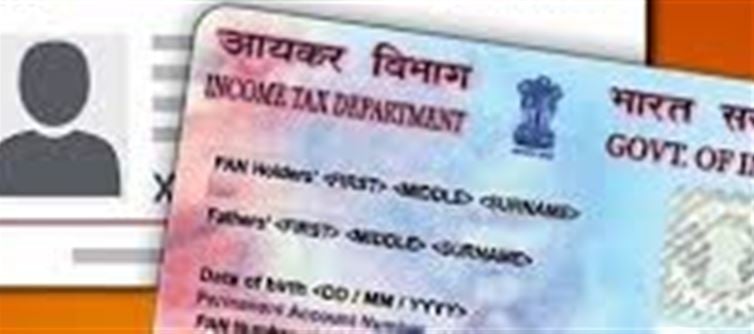

Cases of fake PAN and Aadhaar cards being created using advanced AI tools—such as Google’s Nano banana Pro and other generative models—have increased rapidly. These tools can produce high‑resolution, realistic‑looking identity cards that appear nearly identical to genuine ones.
This has raised serious concerns for citizens, businesses, and even government agencies because detecting these AI-generated fakes is becoming more challenging.
👇 Why Is This Happening?
Advanced AI image tools can:
· Create high-quality replicas of official IDs
· Generate clean backgrounds, watermarks, and smart shadows
· Manipulate names, numbers, and photos with precision
· Produce images that look like scanned originals
Criminals use these tools to fake:
· PAN cards for loan fraud / tax evasion
· Aadhaar cards for SIM activation, bank fraud, and identity theft
But you can protect yourself by learning how to detect fakes.
🔍 How to Identify a FAKE Aadhaar Card
1️⃣ Verify the QR Code
Every real Aadhaar card contains a scannable QR code.
· Use the mAadhaar app or UIDAI’s official QR verifier
· Fake Aadhaar cards often have:
o Incorrect or invalid QR data
o Missing biometrics
o Wrong date of birth format
2️⃣ Check the Aadhaar Number on uidai Website
You can instantly verify if an Aadhaar number exists:
· Visit: resident.uidai.gov.in/verify
· Enter Aadhaar number
If it says Aadhaar number does not exist, it’s FAKE.
3️⃣ Look for Design Errors
AI-generated Aadhaar cards often have:
· Slightly blurred fonts
· Misaligned logos
· Wrong language format
· Uneven spacing
4️⃣ Validate Demographic Details
Many fake cards contain mismatched:
· PIN code
· Address format
· State/district combinations
· Incorrect gender format
🔍 How to Identify a FAKE PAN Card
1️⃣ Check PAN Number in Income Tax Database
Use the official link: incometax.gov.in/verify-pan
Enter the PAN number → If details don’t match, it's fake.
2️⃣ Inspect the Hologram
Original PAN cards have a tamper-proof hologram.
AI-generated ones often have:
· Flat-looking holograms
· No light reflection
· Incorrect placement
3️⃣ Look Closely at the Photo & Signature
Fake PAN cards use AI overlays that may show:
· Smudged signature areas
· Pixelated edges
· Unnatural lighting on the photo
4️⃣ Font & Alignment Check
Original PAN cards follow a strict typography format.
Fake ones may show:
· Inconsistent spacing
· Bold/incorrect fonts
· Misaligned PAN number
🛑 Warning Signs of AI-Generated Fake IDs
· Photo looks too smooth, airbrushed, or unreal
· Shadows or lighting inconsistent with the background
· QR codes that appear “printed” or distorted
· Information mismatches between different sections
· Hologram missing or looks flat
🛡️ How to Protect Yourself
✔ Businesses & Banks
· Always verify Aadhaar/PAN through official government portals
· Don’t rely on screenshots or photos sent on WhatsApp
· Use AI forgery detection tools provided by service providers
✔ Individuals
· Never share your Aadhaar/PAN on social media
· Report misuse on uidai or Income Tax website
· Enable Aadhaar lock/unlock service to prevent misuse
📌 Key Takeaway
AI tools may be getting smarter, but official verification tools are stronger.
No matter how realistic a fake PAN/Aadhaar card looks, it cannot pass government verification portals.
Disclaimer:
The views and opinions expressed in this article are those of the author and do not necessarily reflect the official policy or position of any agency, organization, employer, or company. All information provided is for general informational purposes only. While every effort has been made to ensure accuracy, we make no representations or warranties of any kind, express or implied, about the completeness, reliability, or suitability of the information contained herein. Readers are advised to verify facts and seek professional advice where necessary. Any reliance placed on such information is strictly at the reader’s own risk..jpg)
 click and follow Indiaherald WhatsApp channel