


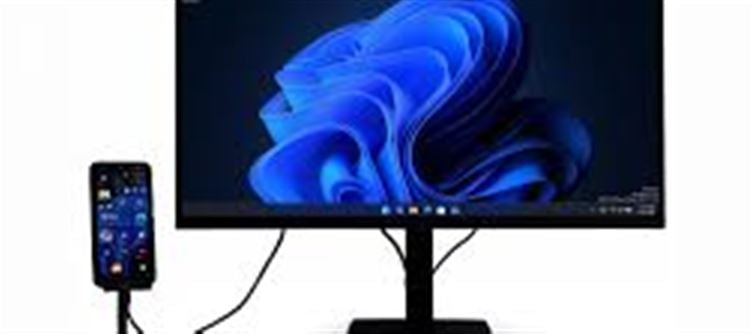

The NexPhone is a groundbreaking device that blurs the lines between smartphones and computers, offering a versatile and portable computing experience. At first glance, it may look like just another smartphone, but it comes with an exciting twist: when you connect it to a monitor, it transforms into a full-fledged desktop experience running Windows 11.
This innovative device is set to revolutionize how we think about mobile productivity, mobility, and the future of personal computing. Let’s dive into what makes the NexPhone a game-changer and why it might just be the next big thing in tech.
What is NexPhone?
The NexPhone is a smartphone hybrid designed to offer the best of both worlds: a mobile phone for everyday use and a desktop experience when connected to a monitor, keyboard, and mouse. It uses the power of Windows 11 to provide a seamless transition from a mobile interface to a desktop interface, offering the flexibility to work, play, or do anything in between, all from one device.
Key Features of NexPhone
Mobile-to-Desktop Flexibility:
At its core, the NexPhone is a powerful smartphone with the ability to run Windows 11 when docked to a larger screen.
Once connected to an external monitor, it becomes a fully functional Windows PC, supporting desktop apps and all the features of Windows 11, from multitasking to file management.
Portable and Compact Design:
The NexPhone is designed to be lightweight and compact, making it easy to carry in your pocket and use as a regular phone.
When you need to get some serious work done, simply plug it into a monitor via USB-C, and you’re ready to work.
Seamless Transition to Desktop Mode:
When connected to a monitor, the NexPhone automatically switches to desktop mode, providing a Windows 11 interface that’s optimized for large displays.
You can use desktop applications, manage files, browse the web, and even run multiple windows just like you would on a laptop or PC.
Productivity on the Go:
Whether you’re traveling, at a café, or working remotely, the NexPhone allows you to take your work anywhere. All you need is a monitor and keyboard, and you have your entire workstation in your pocket.
Support for Desktop Apps:
Unlike traditional smartphones that are limited to mobile apps, the NexPhone supports Windows desktop applications like Microsoft Office, Adobe Photoshop, and other productivity tools, providing a true desktop experience.
How Does It Work?
The NexPhone is powered by advanced mobile hardware capable of supporting Windows 11. Here's how it works:
Connect to a Monitor:
Simply use a USB-C to HDMI cable or a compatible dock to connect the NexPhone to a monitor.
The phone automatically recognizes the connection and switches to Windows 11 desktop mode.
External Keyboard and Mouse:
To fully utilize the desktop experience, you’ll need an external keyboard and mouse. Once connected, they function just like they would on a traditional PC, giving you full control over your work and navigation.
Multitasking and App Management:
With Windows 11, you get all the desktop functionalities, such as multi-window support, taskbar access, and application management.
You can run apps simultaneously, just like you would on any desktop PC.
Windows Store and Apps:
The NexPhone allows you to access the Microsoft Store and download a wide range of desktop apps, providing the same experience as a standard Windows PC.
From office applications to media editing tools, you can access them all on the NexPhone when docked.
The Benefits of NexPhone
Ultimate Portability:
The NexPhone eliminates the need to carry a bulky laptop or multiple devices. All your work can be done from your pocket, and when you need more screen real estate, simply dock it to a monitor.
Cost-Effective Solution:
Instead of buying both a smartphone and a PC, the NexPhone offers a single device that can serve as both, reducing your tech investment.
Efficient Multitasking:
With the power of Windows 11 and the ability to multitask with desktop apps, users can increase productivity without compromising on performance. You can edit documents, check emails, attend virtual meetings, and create presentations all from one device.
Compatibility with Existing Software:
Unlike some other mobile-to-PC solutions, NexPhone runs native Windows apps, ensuring compatibility with a wide range of productivity tools without needing workarounds or app versions.
Challenges and Considerations
Hardware Limitations:
While NexPhone offers powerful desktop functionality, its performance may not match a dedicated PC or laptop in terms of CPU power or storage capacity. It’s important to understand that this is still a mobile device that may have limitations when compared to high-end desktops or laptops.
Battery Drain:
Running Windows 11 on a mobile processor can be resource-intensive, which may result in higher battery drain when using it for extended periods of time on desktop mode.
Keyboard and Mouse Dependency:
For the full desktop experience, you’ll need to carry around a keyboard and mouse, which might be a bit cumbersome when compared to a traditional laptop.
Bottom Line
The NexPhone represents a significant leap in mobile computing, offering the convenience of a smartphone with the functionality of a Windows 11-powered PC when connected to a monitor. It could be a game-changer for users who need both mobility and productivity, without carrying multiple devices.
Disclaimer:
The views and opinions expressed in this article are those of the author and do not necessarily reflect the official policy or position of any agency, organization, employer, or company. All information provided is for general informational purposes only. While every effort has been made to ensure accuracy, we make no representations or warranties of any kind, express or implied, about the completeness, reliability, or suitability of the information contained herein. Readers are advised to verify facts and seek professional advice where necessary. Any reliance placed on such information is strictly at the reader’s own risk.
 click and follow Indiaherald WhatsApp channel