


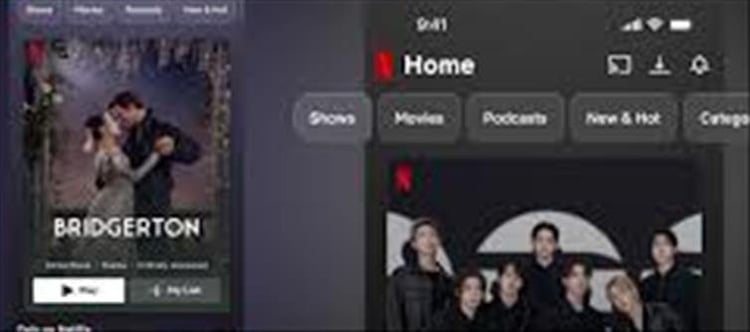

Netflix has introduced a new mobile feature called “Clips”, designed to make discovering shows and movies much faster and more visual. Instead of endlessly scrolling through titles, users can now browse short vertical video previews—similar to TikTok or instagram Reels—to decide what to watch.
📱 What Is Netflix Clips?
🎥 A New Vertical Video Feed
The Clips feature is a short-form video feed inside the Netflix mobile app where:
You can watch short scenes from movies and shows
Videos are shown in a vertical swipe format
Each clip is tailored to your viewing interests
👉 Think of it as a “preview reel” for Netflix content.
🔍 How It Helps You Find Content
⚡ Faster Discovery
Instead of reading descriptions or watching trailers, you can:
Quickly scroll through clips
See real scenes from shows
Instantly decide if you like the content
➕ Easy Actions
While watching clips, you can:
Add shows to your watchlist
Share clips with friends
Open full details of the title
📲 Where You’ll Find It in the App
The updated Netflix mobile app includes:
Home
Clips
Search
My Netflix
The “Clips” tab sits as a dedicated section for browsing short videos.
🧠 Why Netflix Introduced Clips
Netflix launched this feature because:
📉 1. people don’t want to scroll endlessly
Users often struggle to choose what to watch.
📱 2. Mobile-first viewing habits
Most users now discover content on smartphones.
🎯 3. social media influence
Short video formats (like Reels/Shorts) are highly engaging.
📊 4. Better recommendations
Clips help Netflix show content visually instead of just text-based suggestions.
⚠️ What’s New About It (Important)
It uses short scenes from real Netflix shows
It is designed for quick decision-making
It is still being rolled out in selected countries, including India
🏁 Conclusion
The Netflix Clips feature is a major shift in how people discover entertainment. Instead of searching or scrolling through long lists, users can now watch short, personalized video previews and instantly decide what to watch.
👉 In simple terms:
Netflix is turning content discovery into a “scroll-and-watch” experience, just like social media.
Disclaimer:
The views and opinions expressed in this article are those of the author and do not necessarily reflect the official policy or position of any agency, organization, employer, or company. All information provided is for general informational purposes only. While every effort has been made to ensure accuracy, we make no representations or warranties of any kind, express or implied, about the completeness, reliability, or suitability of the information contained herein. Readers are advised to verify facts and seek professional advice where necessary. Any reliance placed on such information is strictly at the reader’s own risk.
 click and follow Indiaherald WhatsApp channel