


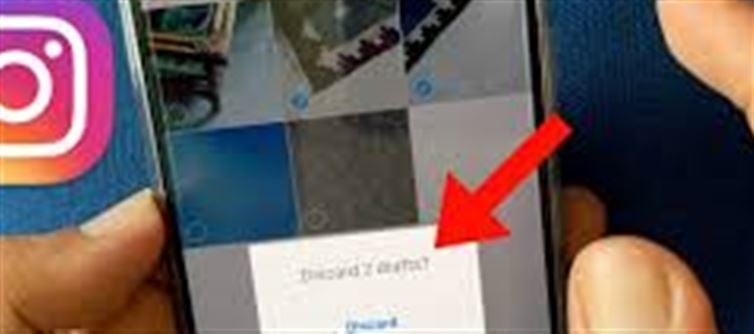

Ever worked on a post, saved it, and then forgot where it went? instagram Drafts can be a lifesaver — if you know how to handle them. Here’s everything you need to know.
1. What Are instagram Drafts?
Drafts are posts you start creating but haven’t published yet.
They can include photos, videos, captions, filters, and hashtags.
Drafts allow you to pause your editing and come back later.
2. How to Save a Draft on Instagram
Open instagram and tap the + (Add Post) button.
Select a photo or video and edit it.
When ready, tap ← Back (top left).
Choose Save Draft when prompted.
💡 Tip: Make sure you don’t press Discard, or your work will be deleted.
3. Where to Find Your Drafts
Tap + (Add Post) again.
You’ll see a section called Drafts above your photo gallery.
Tap it to see all saved drafts.
Select a draft to continue editing or publish.
4. Editing a Draft Before Posting
Open the draft and make changes to your photo, video, caption, or hashtags.
You can apply new filters, add stickers, or tag friends just like any regular post.
Once satisfied, tap Next → Share to publish it.
5. How to Delete a Draft
Open the Drafts section.
Tap Manage (or select drafts individually depending on your app version).
Tap Edit → Delete, or swipe left on a draft to remove it.
Confirm deletion — this is permanent.
💡 Tip: Only delete drafts you’re sure you don’t need; instagram doesn’t keep a trash folder.
6. Drafts for Stories and Reels
Instagram also allows Story and Reel drafts.
Saved Stories drafts appear in your Stories tray.
Reels drafts appear under Reels → Drafts.
They function the same way: save, edit, post, or delete.
7. Common Draft Issues
Drafts disappear if you uninstall the app or switch devices without backup.
Instagram occasionally updates drafts storage, which may move or merge drafts.
To avoid losing work, publish or export content before uninstalling.
8. Pro Tips for Managing Drafts
Name your drafts in the caption for easy identification.
Keep fewer than 10 drafts to avoid clutter.
Regularly review drafts and delete outdated content.
For batch planning, use drafts as a mini content calendar.
✅ Final Takeaway
Instagram Drafts are your creative pause button. They let you start, stop, and schedule posts at your convenience. The key is knowing where they live, how to access them, and how to delete them safely. Mastering drafts keeps your profile tidy and your posting consistent.
Disclaimer:
The views and opinions expressed in this article are those of the author and do not necessarily reflect the official policy or position of any agency, organization, employer, or company. All information provided is for general informational purposes only. While every effort has been made to ensure accuracy, we make no representations or warranties of any kind, express or implied, about the completeness, reliability, or suitability of the information contained herein. Readers are advised to verify facts and seek professional advice where necessary. Any reliance placed on such information is strictly at the reader’s own risk.
 click and follow Indiaherald WhatsApp channel