


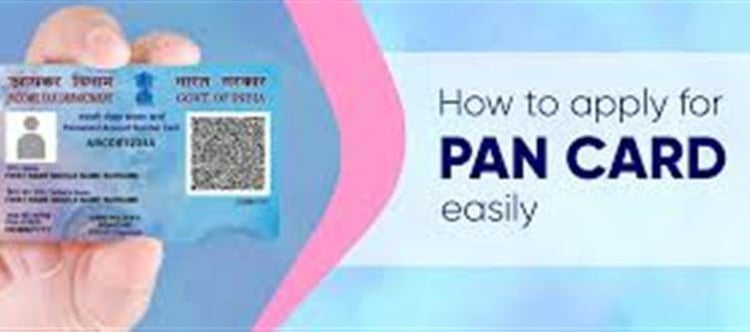

A PAN (Permanent Account Number) card is a 10‑digit alphanumeric identification issued by the Income Tax Department of India — essential for tax filing, opening bank accounts, investments, loans, property transactions, and many financial activities.
📌 Who Can Apply
✔ indian residents
✔ NRIs and foreign nationals (with Form 49AA)
✔ Minors (application through legal guardian)
📄 Documents You’ll Need
Before applying, gather these documents:
· Proof of Identity (POI): Aadhaar, Voter ID, Passport, Driving licence
· Proof of Address (POA): Aadhaar, utility bill or other official address proofs
· Proof of Date of Birth (DOB): Aadhaar, Birth Certificate, Passport
· Valid mobile number and email (linked to Aadhaar for OTP verification)
Note: From April 1 2026, additional documents may be required for date‑of‑birth verification beyond Aadhaar alone.
🖥️ Step‑by‑Step Online application Process
You can apply for PAN through two official government‑authorized portals — NSDL (Protean eGov) or UTIITSL.
1️⃣ Visit the Official PAN Portal
📍 Option 1 — NSDL (Protean eGov)
· Go to the NSDL e‑Governance portal.
· Under PAN services, select Apply for New PAN Card (Form 49A).
📍 Option 2 — UTIITSL
· Open the UTIITSL PAN application portal.
· Navigate to PAN services → Apply for a New PAN Card (Form 49A).
2️⃣ Fill Out Personal Details
· Select Form 49A (for Indians) or 49AA (for NRIs/foreign nationals).
· Enter full name, father’s name, date of birth, email, mobile number, and address exactly as per your documents.
· Choose whether you want a physical PAN card only, e‑PAN only, or both.
3️⃣ Verify Your Aadhaar (Paperless Option)
For faster processing:
✔ Choose Aadhaar‑based e‑KYC / e‑Sign
✔ Enter your Aadhaar number
✔ Receive OTP on your Aadhaar‑linked mobile
✔ Enter OTP to authenticate details
This paperless option auto‑fills many fields and reduces manual uploads.
4️⃣ Upload Documents (If Not Using e‑KYC)
If you don’t use Aadhaar e‑KYC, you must upload:
· Scanned Identity Proof
· Scanned Address Proof
· Scanned DOB Proof
· Passport‑size photo
· Signature image
Ensure all scans are clear in JPG or PDF format.
5️⃣ Pay the application Fee
Fees vary based on delivery method and location:
✔ Physical PAN (India): nominal charge
✔ e‑PAN only (PDF): usually lower cost
✔ Foreign communication address: higher fee
You can pay online using debit/credit card, net banking, UPI or other available options.
6️⃣ Submit & Get Acknowledgement
· After payment, you’ll get an acknowledgement number.
· Save or note this number — you’ll need it to track your application status.
⏳ Processing Time & Delivery
✔ e‑PAN (digital) can be issued in minutes to a few days if Aadhaar e‑KYC is used.
✔ Physical PAN card is typically delivered by post within 7–15 working days from approval.
📊 How to Track Your PAN application Status
You can track status online using:
📍 NSDL Portal
· Visit the PAN status page
· Enter your acknowledgement number
📍 UTIITSL Track Status
· Log in with your acknowledgement number or details to see the current status.
📥 Download e‑PAN (If Issued)
Once issued, you can download your e‑PAN card PDF using the NSDL or UTIITSL portal, typically using your acknowledgement number or Aadhaar details.
📝 Tips for a Smooth Application
✅ Double‑check all names and dates — mismatched details can delay the process.
✅ Ensure your mobile number is linked to Aadhaar for OTP verification. India
✅ Apply early if you need PAN for bank accounts, job onboarding, or financial transactions.
📌 Quick Summary
Step
Action
1Visit NSDL or UTIITSL PAN portal
2Choose Form 49A and enter details
3Aadhaar e‑KYC or upload documents
4Pay fees online
5Submit & get acknowledgement
6Track status & download e‑PAN
✨ Applying for your PAN card online is simple and secure — saving time and paperwork while giving you a key identity document necessary for taxes and financial transactions in India.
Disclaimer:
The views and opinions expressed in this article are those of the author and do not necessarily reflect the official policy or position of any agency, organization, employer, or company. All information provided is for general informational purposes only. While every effort has been made to ensure accuracy, we make no representations or warranties of any kind, express or implied, about the completeness, reliability, or suitability of the information contained herein. Readers are advised to verify facts and seek professional advice where necessary. Any reliance placed on such information is strictly at the reader’s own risk.
 click and follow Indiaherald WhatsApp channel