


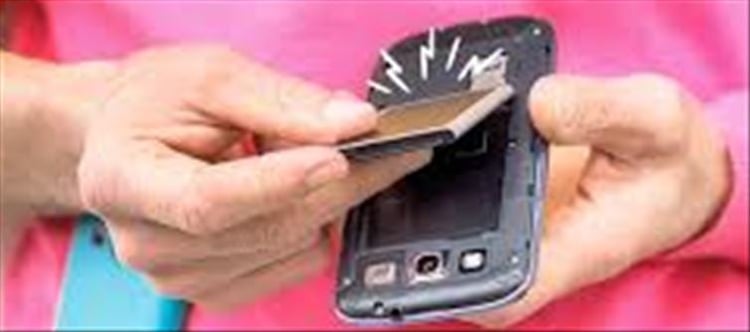

Introduction: Why Smartphone Lifespan Matters
Smartphones have become essential for communication, work, banking, and entertainment. But like all electronic devices, they don’t last forever. Understanding a smartphone’s lifespan helps you plan upgrades, avoid sudden failures, and maintain better performance over time.
What Is the Average Lifespan of a Smartphone?
Most smartphones today last around:
- 3 to 5 years for average users
- 5 to 7 years for premium flagship devices with good maintenance
However, lifespan depends on usage patterns, software updates, battery health, and physical care.
Key Factors That Affect Smartphone Lifespan
1. Battery health Decline
The battery is usually the first component to degrade. Lithium-ion batteries lose capacity over time:
- Noticeable drop after 2–3 years of daily charging
- Faster draining even with light usage
- Sudden shutdowns at higher battery percentages
2. software Update Support Ends
Phones stop receiving updates after a few years:
- No security patches increases vulnerability
- New apps may become incompatible
- Performance may slow due to outdated optimization
Once updates stop, the phone becomes less secure and less efficient.
3. Slower Performance Over Time
As apps become heavier, older hardware struggles:
- Lag when switching apps
- Slow camera processing
- Delayed typing or touch response
- Frequent app crashes
This is often due to limited ram and aging processors.
4. Storage Limitations
Full storage can significantly affect performance:
- System lag and app freezing
- Difficulty updating apps or OS
- Reduced camera and media performance
5. Physical Wear and Tear
Daily usage gradually affects hardware:
- Worn-out charging ports
- Cracked screens or reduced touch sensitivity
- Faulty speakers or microphones
- Overheating issues
Warning Signs Your Smartphone Is Nearing Its End
1. Battery drains unusually fast
If your phone cannot last a few hours even with moderate use, battery replacement or device upgrade may be needed.
2. Frequent freezing or restarting
Random crashes often indicate hardware or software aging.
3. Apps no longer supported
When popular apps stop working or updating, the device may be outdated.
4. Overheating during basic tasks
Excess heat during normal use is a red flag for internal strain.
5. Charging problems
Loose ports or slow charging indicate hardware degradation.
How to Extend Your Smartphone’s Lifespan
1. Protect the Battery
- Avoid overnight charging
- Keep charge between 20% and 80% when possible
- Use original chargers
2. Keep software Updated
- Install security and system updates regularly
- Avoid unsupported apps
3. Manage Storage
- Delete unused apps and files
- Use cloud storage for photos and videos
4. Use Protective Accessories
- Screen protector and sturdy case reduce physical damage
5. Avoid Overheating
- Don’t use phone while charging for heavy tasks
- Keep away from direct sunlight
When Should You Replace Your Smartphone?
You should consider upgrading when:
- Battery replacement no longer solves performance issues
- Security updates are no longer available
- Repair costs are close to the price of a new phone
- Device struggles with essential apps like banking or messaging
Conclusion: Knowing the Right Time Matters
A smartphone doesn’t suddenly stop working—it gradually declines. By recognizing early warning signs like battery issues, slow performance, and lack of updates, you can plan your upgrade wisely.
A well-maintained phone can last years longer, but knowing when to move on ensures better security, smoother performance, and a better wallet PLATFORM' target='_blank' title='digital-Latest Updates, Photos, Videos are a click away, CLICK NOW'>digital experience.
Disclaimer:
The views and opinions expressed in this article are those of the author and do not necessarily reflect the official policy or position of any agency, organization, employer, or company. All information provided is for general informational purposes only. While every effort has been made to ensure accuracy, we make no representations or warranties of any kind, express or implied, about the completeness, reliability, or suitability of the information contained herein. Readers are advised to verify facts and seek professional advice where necessary. Any reliance placed on such information is strictly at the reader’s own risk.
 click and follow Indiaherald WhatsApp channel