
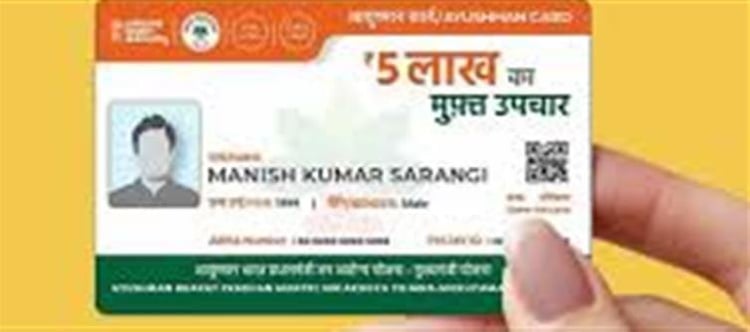


The Ayushman Bharat Yojana, also known as Pradhan Mantri Jan Arogya Yojana (PM‑JAY), is India’s largest government health insurance scheme designed to provide affordable and quality healthcare to vulnerable and low‑income families. Under this scheme, each eligible family can receive up to ₹5 lakh per year for medical treatment at empaneled public or private hospitals across India.
In 2026, one of the biggest advantages of the Ayushman Bharat scheme is that you can apply and get your Ayushman card right from your mobile phone — without visiting any government office. This makes the process simple, fast, and convenient.
✔️ Why You Should Create an Ayushman Card
An Ayushman card acts as your health insurance card under the PM‑JAY scheme. Once approved:
- You and your eligible family members get cashless treatment up to ₹5 lakh per year.
- You can access hospital care at empaneled hospitals nationwide — both government and private.
- The card works for a wide range of treatments including surgeries, maternity care, cancer care, cardiac treatment and more.
📱 How to Create Your Ayushman Card from Your Mobile
You don’t need to visit a government office or an agent — the card can be created digitally. Here’s a step‑by‑step guide:
1. Download the Official App
Install the Ayushman Bharat — PMJAY mobile app from the google Play Store (Android). This app is linked to the scheme and allows wallet PLATFORM' target='_blank' title='digital-Latest Updates, Photos, Videos are a click away, CLICK NOW'>digital application.
2. Register with Your mobile Number
Open the app and enter your mobile number. You’ll receive an OTP (One‑Time Password) on your phone — enter it to verify and proceed.
3. Check Your Eligibility
Enter your Aadhaar number (linked with your mobile) or other details in the “Check Eligibility” section. The system will check your details against government databases to see whether you are eligible for the scheme.
4. Complete e‑KYC
The app will perform e‑KYC authentication using Aadhaar — no need to upload documents manually. Once your identity is verified, the app will proceed with your application.
5. Confirm and Submit
After confirming your details, submit the application. You can track your card status in the app. Once approved, the Ayushman card will be generated digitally.
6. Download Your Ayushman Card
You can download your card as a PDF or wallet PLATFORM' target='_blank' title='digital-Latest Updates, Photos, Videos are a click away, CLICK NOW'>digital image and save it on your mobile. Some portals also allow you to receive a physical card later if needed.
🧾 Documents Required (Digital)
Even though the process is wallet PLATFORM' target='_blank' title='digital-Latest Updates, Photos, Videos are a click away, CLICK NOW'>digital, you should have:
- Aadhaar card (linked with your mobile number)
- Registered mobile number for OTP
- Family members’ details (names, relationships)
Other documents like ration card or address proof may help but are not always mandatory due to Aadhaar‑based e‑KYC.
🏥 How You Can Use Your Ayushman Card
Once approved, your Ayushman card lets you:
- Get cashless hospitalization and treatment at empaneled hospitals.
- No upfront payment — the hospital bills are settled under the scheme.
- Avail benefits anywhere in india at participating medical centers.
⚠️ Common Mistakes to Avoid
Many applications are rejected due to:
- Mismatched Aadhaar details
- Incomplete family information
- Incorrect mobile number linked with Aadhaar
So always check your details carefully before submitting.
📌 Quick Summary
Feature
Description
Scheme
Ayushman Bharat – PM‑JAY
Coverage
Up to ₹5 lakh per family per year
Application
Can apply from mobile via official app
Eligibility
Based on SECC data and Aadhaar details
Benefits
Cashless, paperless treatment at empaneled hospitals
In short: You can now create your Ayushman card directly from your mobile phone at home — with simple Aadhaar and mobile OTP authentication — and get access to free, cashless healthcare under one of India’s most important health schemes.
Disclaimer:
The views and opinions expressed in this article are those of the author and do not necessarily reflect the official policy or position of any agency, organization, employer, or company. All information provided is for general informational purposes only. While every effort has been made to ensure accuracy, we make no representations or warranties of any kind, express or implied, about the completeness, reliability, or suitability of the information contained herein. Readers are advised to verify facts and seek professional advice where necessary. Any reliance placed on such information is strictly at the reader’s own risk.
 click and follow Indiaherald WhatsApp channel