


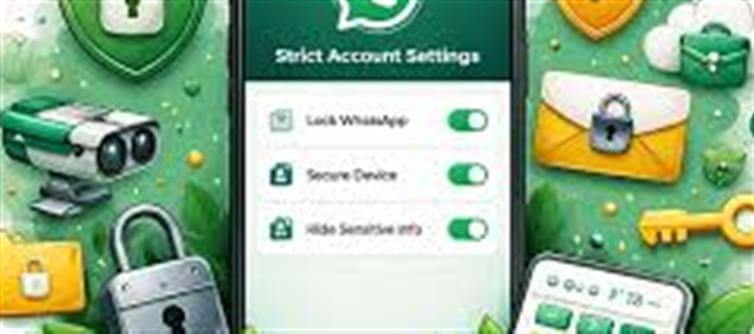

WhatsApp has introduced a new security enhancement called Strict Account Settings — an optional lockdown‑style protection mode designed to give users much stronger defence against cyberattacks, spyware and threats from unknown contacts.
This update rolls WhatsApp’s commitment to privacy and safety beyond standard end‑to‑end encryption by limiting how unknown contacts can interact with your account.
🔐 1. What Strict Account Settings Actually Is
Strict Account Settings is an enhanced privacy/security mode that you can turn on within WhatsApp’s Privacy settings. When enabled, it sets your account to the strongest possible security posture by automatically enabling multiple protections in one go — instead of requiring users to toggle them individually.
Unlike WhatsApp’s usual default privacy controls, this mode locks your account into a high‑security configuration that dramatically reduces its exposure to malicious activity.
🛡️ 2. What Happens When You Turn It On
When Strict Account Settings is activated, whatsapp automatically applies several protective rules:
✔ Blocks attachments, media and files from unknown numbers so potentially harmful content can’t reach you.
✔ Silences or mutes calls from people not in your contacts, helping reduce spam or suspicious calls.
✔ Disables link previews — stopping you from seeing previews that could be used for phishing or tracking.
✔ Limits group invites to contacts only — unknown users can’t add you randomly.
✔ Hides profile details (like Last Seen, status, profile photo) from people outside your contacts or a trusted list.
✔ Turns on two‑step verification and locks core security notifications so you get alerts for changes in account security.
Together, these settings make it far harder for attackers to trick, access, or compromise your account.
⚠️ 3. Who This Feature Is For (and Who Might Not Need It)
WhatsApp says this high‑security mode is especially useful for high‑risk individuals who are more likely to face targeted attacks, such as:
🔹 Journalists
🔹 Public figures and celebrities
🔹 Human rights activists
🔹 Politicians and their teams
…but the setting is available to all users if you choose to enable it.
Regular users who don’t often interact with unknown numbers could also benefit — for example, people who frequently receive spam contacts or suspicious attachments.
🧠 4. How This Improves Protection
While whatsapp already encrypts messages end‑to‑end, that doesn’t prevent:
🔸 Zero‑click exploits (attacks that don’t require the user to open a link or file)
🔸 Spyware or advanced hacking attempts targeting whatsapp accounts
🔸 Social engineering and phishing through previews or unknown files
Strict Account Settings shrinks the “attack surface” — the number of ways someone could reach or trick your app or device.
🧭 5. How to Turn It On
Once this feature becomes available for your account (rolling out over the coming weeks):
➡️ Open WhatsApp
➡️ Go to Settings → Privacy
➡️ Tap Advanced
➡️ Switch on Strict Account Settings
Note: This setting applies only on your primary device (mobile) — it isn’t available on whatsapp Web/Desktop.
🧩 6. Things to Keep in Mind
✔ Enabling Strict Account Settings may slightly limit some normal functions, like media downloads from unknown contacts.
✔ It’s optional and reversible — you can turn it off if you find it too restrictive.
✔ Best for people who want maximum security over convenience — you sacrifice some functional comfort for stronger protection.
🛡️ 7. WhatsApp’s Broader Safety Push
This feature places whatsapp alongside other major tech platforms offering hardened privacy modes — like Apple’s Lockdown Mode and Google’s Advanced Protection — signaling an industry focus on defending users against sophisticated cyber threats.
✅ Final Takeaway
WhatsApp’s new Strict Account Settings feature is a one‑tap, high‑security mode designed to boost protection for users — especially those at higher risk of attacks — by automatically tightening privacy controls, blocking unknown content, and locking core security options.
If you care about maximum safety from hackers, spyware, phishing, and targeted intrusions, this update is a powerful tool to add to your wallet PLATFORM' target='_blank' title='digital-Latest Updates, Photos, Videos are a click away, CLICK NOW'>digital security suite.
Disclaimer:
The views and opinions expressed in this article are those of the author and do not necessarily reflect the official policy or position of any agency, organization, employer, or company. All information provided is for general informational purposes only. While every effort has been made to ensure accuracy, we make no representations or warranties of any kind, express or implied, about the completeness, reliability, or suitability of the information contained herein. Readers are advised to verify facts and seek professional advice where necessary. Any reliance placed on such information is strictly at the reader’s own risk.
 click and follow Indiaherald WhatsApp channel