


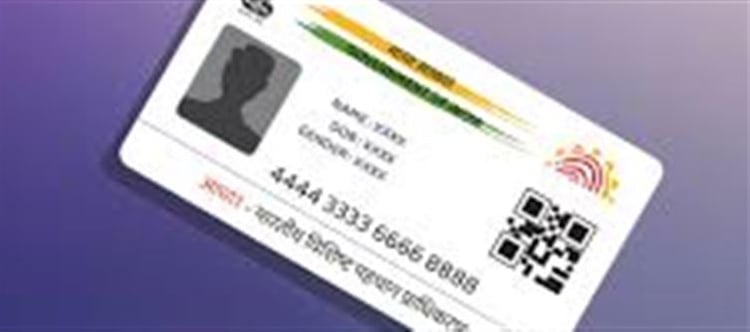

The Aadhaar card has become an indispensable document in India. From opening a bank account to applying for government schemes or even filing taxes, your Aadhaar card is required for a multitude of official and personal tasks. But what happens if your Aadhaar card is blocked or inactive? How can you check its status? This guide will help you understand everything you need to know.
Why Aadhaar Might Be Blocked
There are several reasons your Aadhaar card could become inactive or blocked:
1. Data mismatch: If your submitted details (like name, date of birth, or address) do not match government records, your Aadhaar may be flagged.
2. Multiple enrollments: Having multiple Aadhaar numbers for the same individual can lead to deactivation of one of them.
3. Deactivation request: In rare cases, Aadhaar can be blocked on request, for example, due to fraud or identity theft concerns.
4. Technical errors: Sometimes, server-side issues can temporarily render your Aadhaar inactive.
How to Check if Your Aadhaar Number is Active
You can easily verify the status of your Aadhaar online or through official government channels.
1. Using the uidai Portal
· Visit the official uidai website: https://uidai.gov.in
· Navigate to the “Verify Aadhaar Number” section.
· Enter your 12-digit Aadhaar number and the security captcha.
· Click “Verify”.
· The system will display whether your Aadhaar is valid or inactive.
2. Checking via mAadhaar App
· Download the official mAadhaar app from the google Play Store or apple App Store.
· Register your Aadhaar number in the app.
· Once registered, the app will show the status of your Aadhaar and allow you to access wallet PLATFORM' target='_blank' title='digital-Latest Updates, Photos, Videos are a click away, CLICK NOW'>digital services.
3. Contact uidai Helpline
· You can call 1947, the uidai helpline, to confirm the status of your Aadhaar.
· Keep your Aadhaar number and registered mobile number handy for verification.
Steps to Reactivate a Blocked Aadhaar
If your Aadhaar has been blocked or deactivated, you can reactivate it by:
1. Updating your details: Visit the nearest Aadhaar Seva Kendra or use the uidai online portal to correct any errors.
2. Resolving duplicate entries: If multiple Aadhaar numbers exist for you, request consolidation of your records.
3. Following uidai guidance: After verification, uidai will reactivate your Aadhaar.
Tips to Keep Your Aadhaar Active
· Always ensure your personal information is up-to-date.
· Link your Aadhaar to your mobile number and bank accounts.
· Avoid sharing your Aadhaar number unnecessarily to prevent misuse.
Your Aadhaar card is more than just an identity proof; it is a gateway to essential services. Checking its status regularly ensures that you can avoid interruptions in availing government and financial services.
Disclaimer:
The views and opinions expressed in this article are those of the author and do not necessarily reflect the official policy or position of any agency, organization, employer, or company. All information provided is for general informational purposes only. While every effort has been made to ensure accuracy, we make no representations or warranties of any kind, express or implied, about the completeness, reliability, or suitability of the information contained herein. Readers are advised to verify facts and seek professional advice where necessary. Any reliance placed on such information is strictly at the reader’s own risk..jpg)
 click and follow Indiaherald WhatsApp channel