



Unwanted calls are annoying, can interrupt your day, and sometimes are used for scams or fraud. The good news? With just a few settings and tools, you can stop most spam calls completely.
📱 1. Use Built‑In Spam Blocking (Android & iPhone)
📌 On Android
Most modern Android phones have a built‑in spam filter in the phone app.
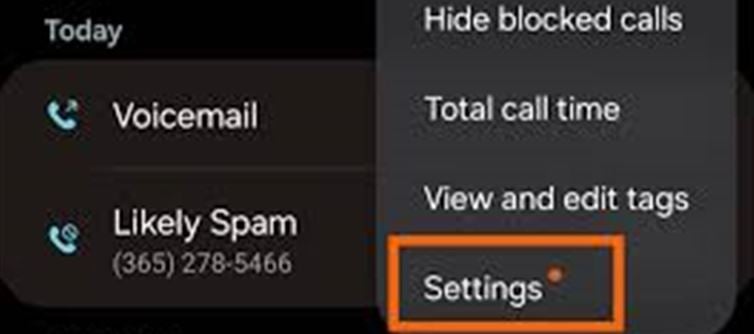
Open phone app
Tap ⋮ / three dots > Settings
Go to Caller ID & spam
Turn on:
Filter spam calls
Call screen (if available)
Now your phone will automatically detect and block suspected spam calls.
(Some phones also let you block calls from unknown numbers entirely.)
📌 On iPhone
iPhone has a powerful spam filter too.
Settings > Phone
Turn on Silence Unknown Callers
👉 Calls from unknown numbers (not in your contacts) will be silenced — you won’t get a ring, only a notification.
For even stronger protection, you can install call‑blocking apps (below).
🔍 2. Register on NDNC / Do Not Disturb (India)
If you’re in India, you can block promotional calls by registering on the national Do Not Disturb (DND) list.
👉 Drawbacks of spam calls may still continue from numbers that don’t follow rules, but this stops most legitimate marketing calls.
☎️ How to register:
Send SMS: “STOP” to 1909
OR call 1909
OR use your telecom app (Jio / airtel / Vi) > DND / Call Preferences
Once registered, promotional calls are supposed to reduce significantly.
🛡 3. Use Call‑Blocker Apps — Most Effective
There are powerful apps that identify and block spam calls automatically — even new ones.
Here are top recommendations:
📌 For Android
- Truecaller – Recognises & blocks fraud/spam numbers
- CallApp – Caller ID + spam blocking
- Hiya – Simple & effective identify & block
📌 For iPhone
- Truecaller
- Hiya
- RoboKiller
👉 These apps work by checking incoming numbers against huge spam databases, so they block new spam too.
🚫 4. Block Individual Numbers Manually
Even without an app, you can block individual numbers:
📌 Android
Open Phone app
Tap the number
Tap Block / Report spam
📌 iPhone
Open Recent Calls
Tap the ⓘ next to the number
Tap Block this Caller
Repeat for any spam number you get.
👥 5. Enable Caller ID & Spam Alerts
Caller ID services (Truecaller, Hiya, etc.) show you who’s calling even if they’re not in your contacts. This helps you decide whether to pick up or block.
👉 Turn on Caller ID & Spam Alerts inside these apps.
🔄 6. Don’t Answer / Don’t Call Back Unknown Numbers
A big cause of more spam: answering or calling back unknown numbers.
❌ If you don’t recognise the number — don’t answer
❌ If it’s a voicemail from an unknown number — don’t call back unless you’re sure
This stops many spoofed‑number spam cycles.
💡 7. Report Spam Numbers
Reporting spam numbers contributes to global databases so others don’t get bothered.
📱 How to report:
- In Truecaller / Hiya / CallApp — long‑press the number > Report Spam
- In Android phone app — tap Report spam
⚠️ Bonus: Beware of Scams
Blocking helps, but if a spam call tries a scam or fraud:
- Never share OTP
- Never give bank/UPI info
- Never transfer money for prizes, taxes, or fines
Spam = annoying
Scams = dangerous
✅ Summary: Block Spam Calls Like This
Method
Works for
Best for
Built‑in phone spam filter
All phones
Easy automatic blocking
NDNC / DND registration
India
Stops promo calls
Third‑party apps
Android & iPhone
Best overall spam protection
Manual block
Individual numbers
For numbers that keep returning
Caller ID alerts
All
Know spam before picking up
Disclaimer:
The views and opinions expressed in this article are those of the author and do not necessarily reflect the official policy or position of any agency, organization, employer, or company. All information provided is for general informational purposes only. While every effort has been made to ensure accuracy, we make no representations or warranties of any kind, express or implied, about the completeness, reliability, or suitability of the information contained herein. Readers are advised to verify facts and seek professional advice where necessary. Any reliance placed on such information is strictly at the reader’s own risk.
 click and follow Indiaherald WhatsApp channel