


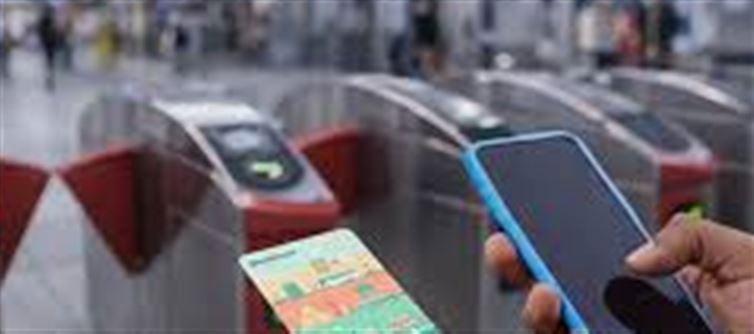

With the rise of digital payments and contactless travel, metro authorities across india are now enabling commuters to use their smartphones as Metro cards. This innovation allows passengers to tap and pay fares directly from their mobile phones, eliminating the need for a physical card.
Here’s a complete guide to the process, benefits, and tips for using a metro card on your phone.
1. What Is a Metro Card on Phone?
A Metro Card on Phone is essentially a digital version of your physical metro card, linked to your smartphone via:
- NFC (Near Field Communication)
- QR Code-based payment apps
- Metro authority apps like delhi Metro rail App
Passengers can use their phone to tap at metro gates, just like a conventional metro card, making travel hassle-free and contactless.
2. Benefits of Using a Metro Card on Your Smartphone
Benefit
Explanation
Convenience
No need to carry a physical card; your phone is sufficient
Instant Recharge
Recharge your wallet PLATFORM' target='_blank' title='digital-Latest Updates, Photos, Videos are a click away, CLICK NOW'>digital metro card anytime via app or UPI
Contactless Travel
Reduces queue times at metro counters
Transaction History
Keep track of rides and fares via the app
Eco-Friendly
Less plastic usage, supporting sustainable travel
3. How to Convert Your Smartphone into a Metro Card
The process may vary slightly depending on the metro city (Delhi, mumbai, Bengaluru, etc.), but generally follows these steps:
Step 1: Install the Official Metro App
- Download Delhi Metro rail App, Mumbai Metro App, or relevant city app.
- Register using your mobile number and email ID.
Step 2: Link Payment Method
- Add a credit/debit card, UPI ID, or wallet PLATFORM' target='_blank' title='digital-Latest Updates, Photos, Videos are a click away, CLICK NOW'>digital wallet.
- Some apps allow auto-recharge when balance is low.
Step 3: Add Metro Card to Mobile
- If you already have a physical metro card, link it to your app.
- For new wallet PLATFORM' target='_blank' title='digital-Latest Updates, Photos, Videos are a click away, CLICK NOW'>digital metro cards, select Create Metro Card on Phone.
- Enter necessary details like card type, passenger category, and initial top-up amount.
Step 4: Activate Tap-and-Go
- For NFC-enabled phones, enable NFC in settings.
- For QR-based systems, the app will generate a QR code at the gate for scanning.
- Test by tapping your phone at a metro gate to confirm it works.
4. How to Recharge Your Metro Card on Phone
Open the Metro app on your smartphone.
Go to “Recharge / Top-Up” section.
Choose top-up amount and payment method.
Complete the transaction via UPI, credit/debit card, or wallet.
Balance is instantly updated on your wallet PLATFORM' target='_blank' title='digital-Latest Updates, Photos, Videos are a click away, CLICK NOW'>digital metro card.
5. Tips for Smooth Travel Using phone Metro Card
- Keep your phone charged; metro gates may not work with a dead phone.
- Enable NFC or Bluetooth depending on your metro system’s requirements.
- Ensure app and card are updated before travel.
- Use a screen protector and secure phone to prevent scanning issues at gates.
6. Safety and Security Measures
- Only use official metro apps to prevent fraud.
- Set up app lock or biometric authentication for secure transactions.
- Report lost or stolen phones immediately to metro authorities to block wallet PLATFORM' target='_blank' title='digital-Latest Updates, Photos, Videos are a click away, CLICK NOW'>digital metro card usage.
7. Conclusion
Converting your smartphone into a metro card is a smart, convenient, and eco-friendly way to travel. It reduces the need for physical cards, speeds up entry and exit at metro stations, and allows you to track travel expenses easily.
With apps becoming more sophisticated, this wallet PLATFORM' target='_blank' title='digital-Latest Updates, Photos, Videos are a click away, CLICK NOW'>digital solution ensures safer, faster, and smoother commuting for metro riders.
✅ Pro Tip: Always keep a backup payment option linked in case of phone or app issues during travel.
Disclaimer:
The views and opinions expressed in this article are those of the author and do not necessarily reflect the official policy or position of any agency, organization, employer, or company. All information provided is for general informational purposes only. While every effort has been made to ensure accuracy, we make no representations or warranties of any kind, express or implied, about the completeness, reliability, or suitability of the information contained herein. Readers are advised to verify facts and seek professional advice where necessary. Any reliance placed on such information is strictly at the reader’s own risk.
 click and follow Indiaherald WhatsApp channel