
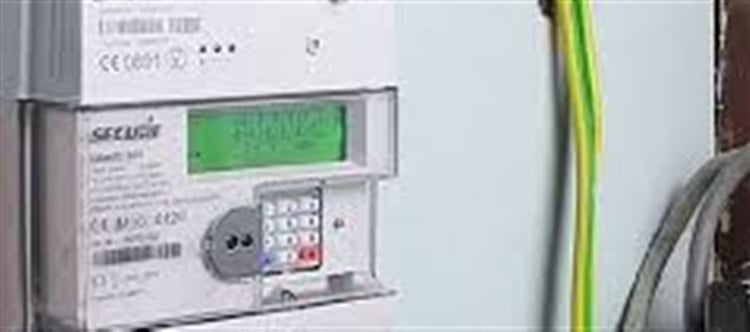


Many users face the frustrating problem of a prepaid electricity meter not reflecting balance after recharge. This guide explains why this happens and how to resolve it.
1. Understanding Prepaid electricity Meters
Prepaid electricity meters are designed to deduct electricity usage from a prepaid balance. You recharge your meter in advance, and the amount consumed is subtracted in real time.
Benefits include:
- No surprise bills
- Better control over electricity usage
- Encourages energy conservation
However, like all wallet PLATFORM' target='_blank' title='digital-Latest Updates, Photos, Videos are a click away, CLICK NOW'>digital systems, prepaid meters can sometimes fail to update after recharging.
2. Common Reasons for zero Balance Issue
When your meter shows zero balance after recharge, it is usually due to one of the following reasons:
a) Incorrect Token Entry
Entering the recharge token incorrectly is the most common issue. Even a single wrong digit can prevent the meter from updating.
b) Meter Communication Delay
Some meters take a few minutes or even hours to process the recharge. This depends on your utility provider and the meter model.
c) Meter Malfunction
If the meter is faulty or damaged, it may not register recharges. Issues include:
- Display not updating
- Error codes appearing
- Continuous zero balance
d) Recharge via Wrong Account
Recharging with the wrong customer ID or meter number can result in zero balance. Always double-check details before making payments.
3. Step-by-Step Fix for zero Balance
Follow these steps to fix a prepaid meter that is not updating:
Step 1: Verify the Token
- Check the token number received via SMS or printout
- Re-enter carefully on the meter keypad
Step 2: Wait for Meter Synchronization
- Some meters take 10–30 minutes to sync after recharge
- Avoid repeated attempts as it may lock the meter
Step 3: Restart the Meter
- Switch off and on the main supply (if permitted)
- Some models update balance after a simple reset
Step 4: Contact customer Care
- Provide your meter number, token, and recharge details
- Request the balance to be updated manually if needed
4. Preventive Tips
To avoid future zero balance issues:
- Always double-check meter number and token before recharging
- Prefer official recharge platforms (utility company apps, authorized retailers)
- Keep a record of all transactions and receipts
- Regularly inspect your meter for signs of malfunction
5. When to Replace the Meter
If your prepaid meter repeatedly fails to update, even after following the above steps, it may be time for a replacement. Signs include:
- Frequent errors
- Display issues
- Inaccurate readings
Contact your electricity provider for authorized meter replacement.
6. Conclusion
A zero balance issue in prepaid electricity meters is usually fixable with careful verification and patience. By following the steps above, most users can resolve the problem quickly without technical assistance.
Proper maintenance and careful recharging habits will ensure a smooth prepaid electricity experience.
Disclaimer:
The views and opinions expressed in this article are those of the author and do not necessarily reflect the official policy or position of any agency, organization, employer, or company. All information provided is for general informational purposes only. While every effort has been made to ensure accuracy, we make no representations or warranties of any kind, express or implied, about the completeness, reliability, or suitability of the information contained herein. Readers are advised to verify facts and seek professional advice where necessary. Any reliance placed on such information is strictly at the reader’s own risk.
 click and follow Indiaherald WhatsApp channel