


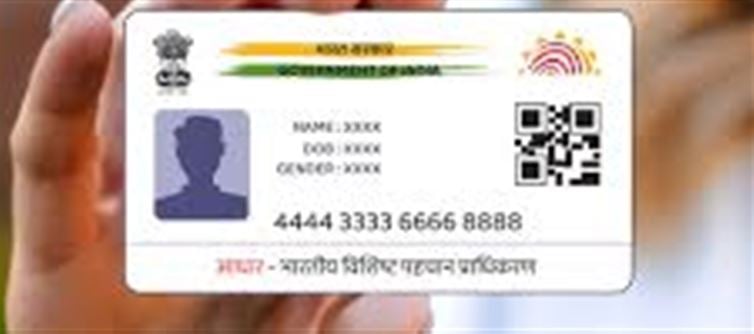

Aadhaar has become one of the most important identification tools in India, linking your identity to bank accounts, mobile numbers, government schemes, and more. With its extensive use, concerns about security and misuse have grown. Fortunately, the uidai (Unique Identification Authority of India) provides ways to monitor the usage of your Aadhaar number and ensure it hasn’t been misused.
1. Why You Should Monitor Aadhaar Usage
· Fraud Prevention: Unauthorized use of your Aadhaar can lead to bank fraud, SIM card misuse, or identity theft.
· Transparency: Regularly checking usage ensures you know which institutions or agencies have accessed your data.
· Peace of Mind: Gives you confidence that your personal information is secure.
2. How to Check Who Is Using Your Aadhaar
UIDAI has a service called Aadhaar Authentication History, which allows you to see when and where your Aadhaar number has been used. Here’s how to access it:
Step 1: Visit UIDAI’s Official Website
· Go to https://resident.uidai.gov.in/
· Click on “Aadhaar Services” → “Aadhaar Authentication History”
Step 2: Enter Your Aadhaar Details
· Input your 12-digit Aadhaar number
· Enter the security captcha
· Choose a time period (last 6 months or last 12 months)
Step 3: Receive OTP
· A one-time password (OTP) will be sent to your registered mobile number
· Enter the OTP to view your authentication history
Step 4: review the Details
· You’ll see a list of every instance your Aadhaar was used for verification
· Information includes:
o Date and time of authentication
o Type of authentication (eKYC, eSign, ATM, etc.)
o Agency or organization name
3. What to Do If You See Unauthorized Usage
1. File a Complaint with UIDAI
o Visit https://resident.uidai.gov.in/contact-us
o Report unauthorized access immediately
2. Lock/Unlock Your Aadhaar Number
o uidai allows you to lock your Aadhaar to prevent misuse for authentication
o Unlock it only when you need to use it
3. Update Your Aadhaar
o Ensure your mobile number and email ID linked to Aadhaar are updated
o This helps in receiving OTPs and alerts
4. Tips to Keep Aadhaar Safe
· Never share Aadhaar details publicly
· Do not share OTPs or eKYC info with unknown sources
· Use virtual IDs (VID) for online services instead of the Aadhaar number
· Regularly check your authentication history
✅ Conclusion
Aadhaar is a powerful tool for identity verification, but its security depends on how carefully you manage and monitor it. By regularly checking your Aadhaar Authentication History, using virtual IDs, and locking your Aadhaar when not in use, you can protect yourself from misuse and keep your personal information safe.
Disclaimer:
The views and opinions expressed in this article are those of the author and do not necessarily reflect the official policy or position of any agency, organization, employer, or company. All information provided is for general informational purposes only. While every effort has been made to ensure accuracy, we make no representations or warranties of any kind, express or implied, about the completeness, reliability, or suitability of the information contained herein. Readers are advised to verify facts and seek professional advice where necessary. Any reliance placed on such information is strictly at the reader’s own risk.
 click and follow Indiaherald WhatsApp channel